
Daycare Roster Software: The Practical Guide
Find the right daycare roster software for your facility. Learn how to plan shifts, qualifications, and absences in Switzerland in a legally compliant way.
Monday morning, 6:45 a.m. A specialist calls in sick, an apprentice cannot fill in due to vocational school, and at the same time, occupancy in one group increases. You open Excel, check holidays, part-time workloads, and qualifications, call the substitute, and hope that in the end not only every shift is covered but also the cantonal staffing ratio is correct. This is exactly where your roster planning either holds up or just looks neat on the screen.
A daycare roster software in Switzerland must do more than just assign employees to time slots. It must combine occupancy, roles, qualifications, rest periods, absences, and fringe times. This practical guide helps you select suitable software and build a planning process that works even with short-term absences.
Table of Contents
- Why Excel Reaches Its Limits in Swiss Daycares
- Core Functions of Modern Deployment Planning
- Legal Compliance and Cantonal Staffing Ratios
- Decision Criteria for Choosing a Provider
- Resilience in Skilled Labor Shortage and Absences
- Rollout in Your Facility
- Conclusion and Next Steps for Your Planning
Why Excel Reaches Its Limits in Swiss Daycares
You probably know this situation: The spreadsheet contains names, groups, and shifts. Holidays are color-coded, sick notes are communicated by phone, and changes are distributed via email or messenger. As soon as multiple people edit the same file or someone opens an old version, it’s unclear which plan applies.
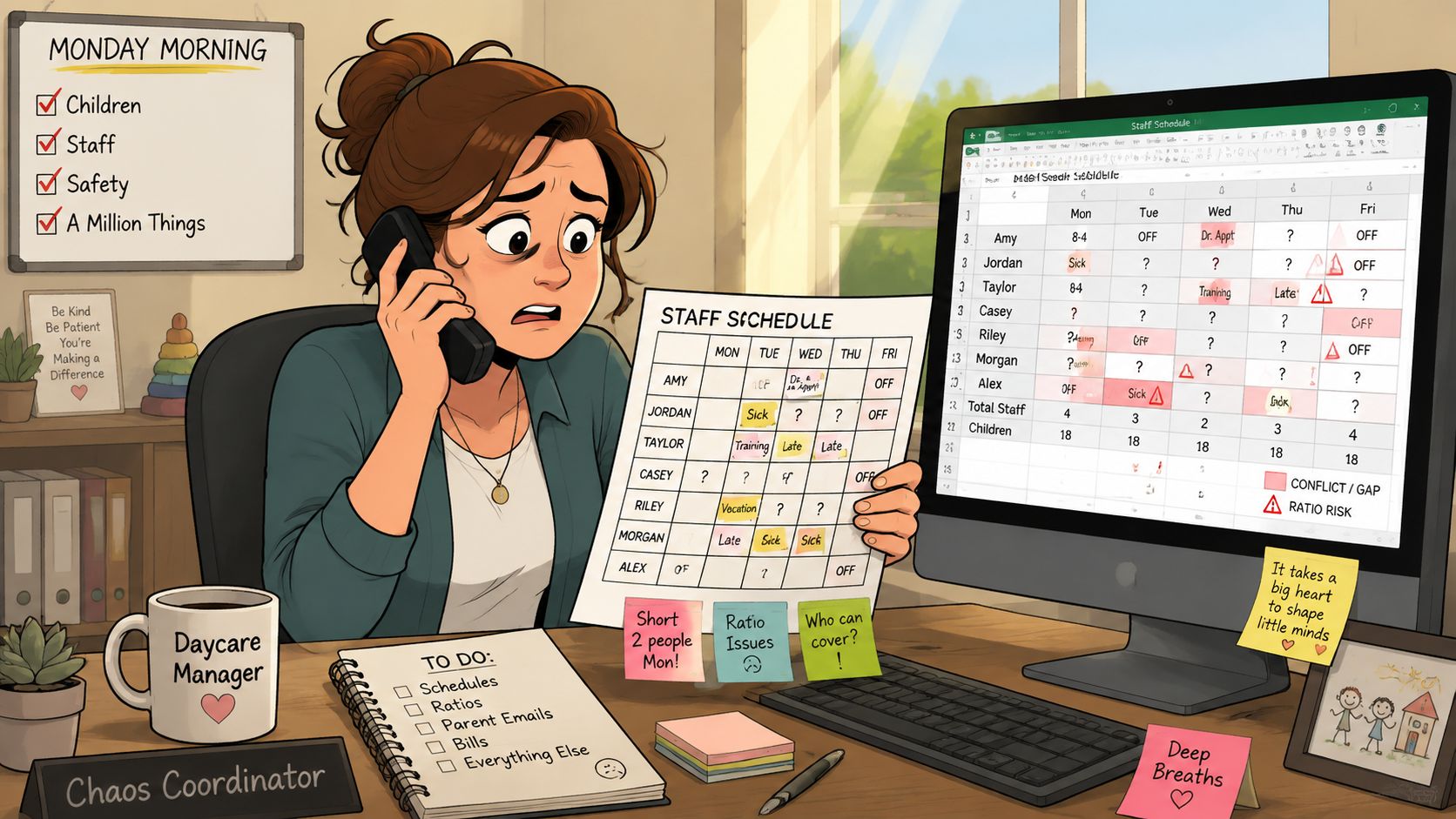
The problem is not that Excel is bad. The problem is that a spreadsheet does not understand the professional logic of your daycare. It cannot reliably recognize whether a person may be scheduled as a childcare specialist, whether an assistant is alone in a group, or whether an additional occupied place triggers a different minimum staffing.
The Spreadsheet Doesn’t Know Your Reality
Cantonal regulations make planning demanding. For a license, a staffing plan must show, among other things, how many childcare workers are deployed per group and age class and what qualifications they have. In many cantons, 50–60% of the childcare staff must be officially qualified, while 40–50% may be assistants, apprentices, or interns. Additionally, at least one qualified specialist must always be present, as described in the Guide to Licensing in Childcare.
A spreadsheet can contain such information but does not automatically check it with every change. If you move a shift, you must manually verify whether the qualification mix, presence, and group assignment still fit. These manual checks require attention that you lack in daily daycare operations.
Practical rule: If you have to open multiple tables, chats, and notes with every plan change, you don’t need a prettier Excel. You need rule checks directly in the plan.
Planning Is More Than Convenience
The industry survey by kibesuisse clearly shows the pressure. For 621 surveyed daycares at the end of 2022, a total of 31,632 children were cared for. On average, there were 0.4 unfilled positions per daycare, and 95% of the facilities had at least one vacancy during the survey year. The average occupancy rate was 82%. These figures come from the kibesuisse industry survey.
Given this situation, a roster is not a static document. It changes continuously. A good digital personnel planning with Excel can show you the limits of your current approach. For daily operations, you then need a system that processes availabilities, qualifications, and absences together.
A look at general approaches to automating appointment scheduling can also be helpful. For daycares, however, a general appointment logic alone is not enough. Your system must map care situations and personnel rules, not just free calendar slots.
Core Functions of Modern Deployment Planning
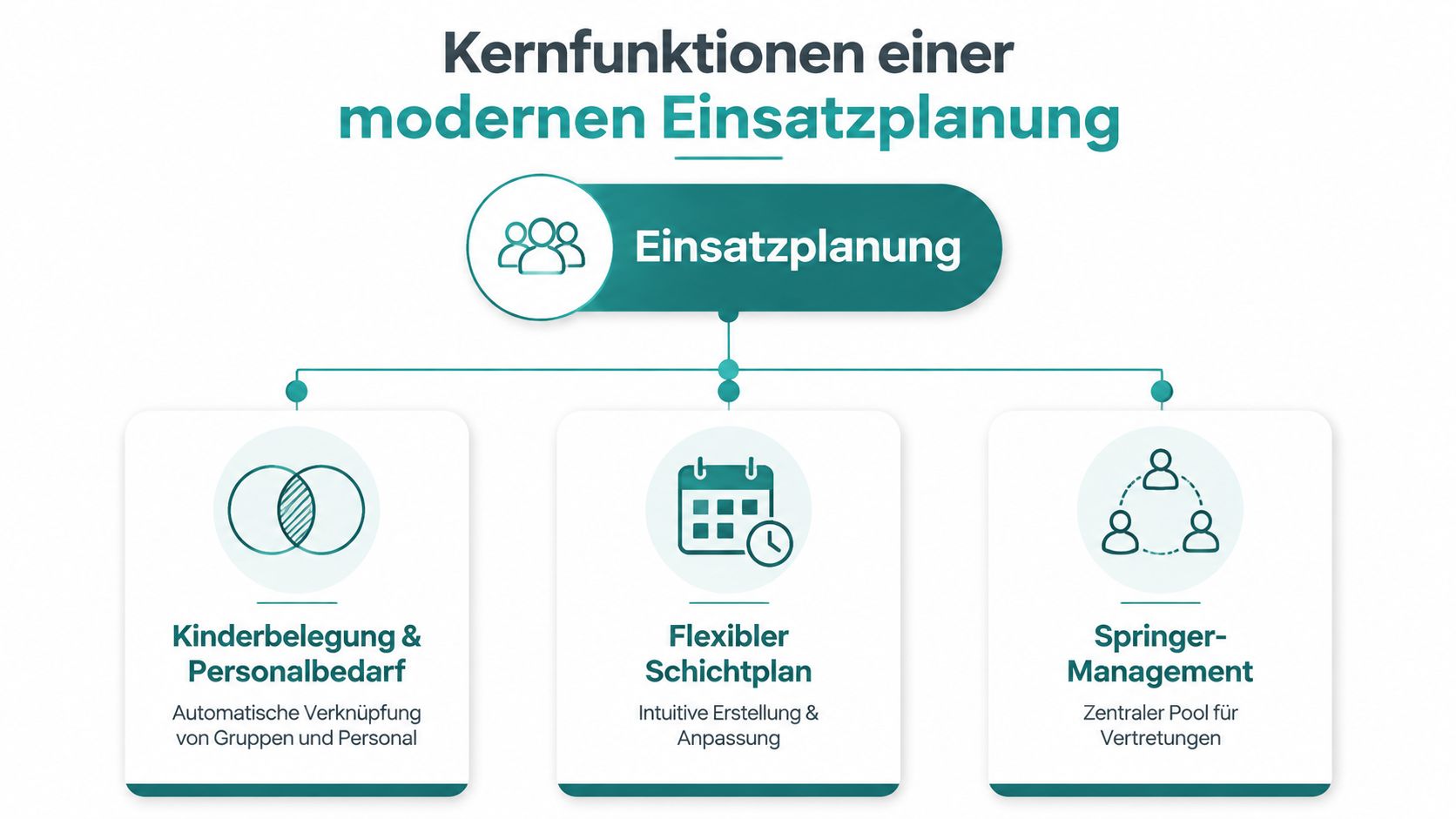
A suitable solution does not start with the calendar. It starts with the question: How many children are in which group at what time, and which people are allowed to cover this care? Only then does demand become a roster.
Connecting Occupancy and Staffing Needs
Child occupancy must not be separate from the roster. If a group cares for few children in the morning and is busier later, your staffing needs must follow this pattern. Fringe times require different solutions than main care times, such as cross-group staffing or a floater.
The canton of Basel-Stadt shows why a pure headcount is not enough. Up to 5 occupied places, at least one pedagogically trained caregiver is required. For 5.1 to 10 places, two caregivers are needed, one of whom is trained. For 10.1 to 15 places, three caregivers are required, two of whom are trained. These requirements are in the regulations for daycares with subsidies from August 2024.
Your software should therefore check occupancy, group, age class, and qualification attributes together. If occupancy exceeds a threshold, the plan must issue a warning or require additional staffing.
Managing Qualifications and Roles Cleanly
Record each person with their relevant attributes: recognized professional qualification, function, possible groups, workload, availabilities, and restrictions. An intern cannot take on the same role as a trained specialist. An apprentice is also not available at all times.
You can store this data in Excel, but you cannot trust that every manager checks all consequences with every shift change. A daycare roster software must perform this check at the moment of planning.
Mapping Fringe Times and Changes
Early shifts, late shifts, breaks, handovers, and short-term changes belong in the same system. Employees should see their current assignment, report availabilities, and track changes. You also need clear information about who covers a gap and whether this causes understaffing in another group.
A roster app can facilitate mobile access. But don’t just check if an app exists. What matters is whether it makes your daycare rules visible and communicates changes to all affected persons.
kibesuisse also points out that the staffing ratio only covers direct pedagogical work. Management, preparation, follow-up, parent meetings, and housekeeping tasks are not included. Your planning therefore needs separate capacities for care, administration, and fringe times; otherwise, the plan appears formally staffed but leaves no time for other tasks. The kibesuisse guidelines for daycares describe this difference.
Legal Compliance and Cantonal Staffing Ratios
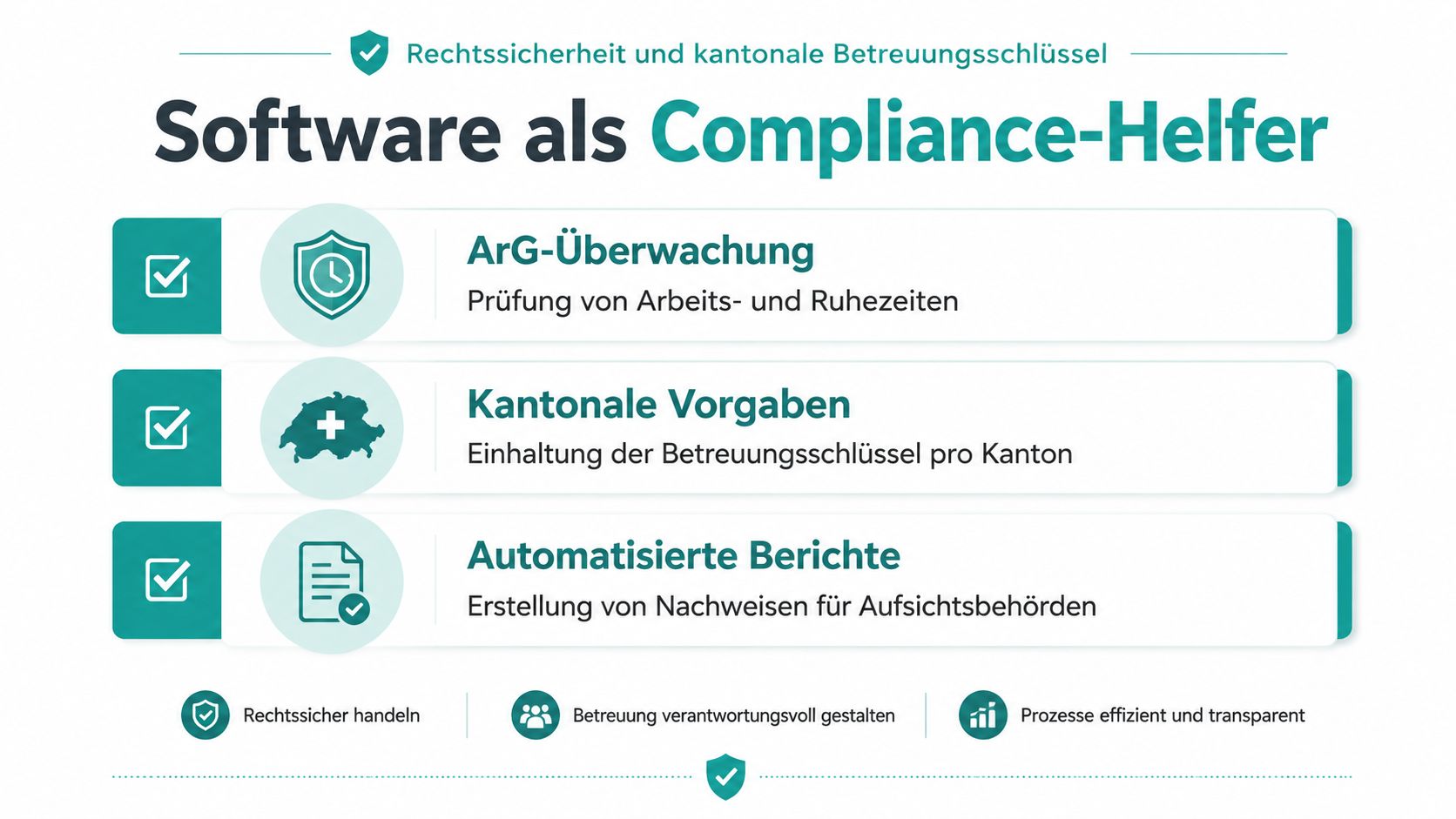
Software does not replace legal review. But it can help make rules visible and detect planning errors early. For this, you must first accurately capture cantonal requirements and link them with your facility’s working time rules.
Check Working Hours First
The daily rest period in Switzerland is at least 11 consecutive hours. For adult employees, it may be reduced once per week to 8 hours if an average of 11 hours is reached over two weeks. This is explained by SECO on working and rest times.
A simple example: If a late shift ends at 11:00 p.m., the next early shift may not start at 6:00 a.m. Your software should mark such combinations before you publish the plan.
The weekly maximum working hours must also be checked. Depending on the sector, it is 45 or 50 hours. For offices, industrial companies, and sales staff in large companies, 45 hours apply; in many other sectors, such as trades or healthcare, 50 hours. The SECO notes on working and rest times show the different limits.
Don’t Generalize Cantonal Rules
The staffing ratio is regulated by canton. Basel-Stadt uses the levels mentioned based on occupied places. This does not mean you can apply the same logic unchanged to Zurich, Zug, or another canton.
Ask providers about cantonal rule sets, their own parameters, and the possibility to store groups, age classes, and thresholds separately. A warning is only helpful if the underlying rule matches your license.
Document Times Transparently
Employers must keep records showing the start, end, and duration of daily and weekly working hours as well as breaks of at least half an hour. For an employee who starts at 8:12 a.m., takes a 35-minute break at 12:30 p.m., and ends at 5:05 p.m., these details must be documented transparently. The obligations are described by SECO on working time recording.
For shift work, an individual should not work the same shift for more than 6 consecutive weeks. Swiss law on shift work is therefore relevant if you rotate early, middle, and late shifts.
Use warnings as a control aid, not as a legal guarantee. Have cantonal specifics and your concrete license checked by the responsible authority or expert advice. Notes on data protection and a GDPR-compliant deployment planning should also be part of your provider evaluation.
Decision Criteria for Choosing a Provider
A general shift tool can display working times. A daycare needs more: The system must make qualifications, occupancy, part-time workloads, absences, and short-term changes understandable together.
Don’t compare providers first by interface or price. Request a test with a real weekly plan. Include a group with different workloads, a holiday absence, a sick note, and a fringe time. Only then will you see whether the software supports your daily work or just moves calendar data.
Checklist for Software Evaluation
| Criterion | Why It’s Important | Question for the Provider |
|---|---|---|
| Child Occupancy and Demand | Staffing must fit the group situation. | Can you plan occupancy, groups, and staffing needs together? |
| Qualification Mix | Not every person may cover every position. | Can you manage childcare specialists, assistants, apprentices, and interns separately? |
| Cantonal Rules | Staffing ratios differ by canton. | Can you store thresholds and requirements per location? |
| Part-Time Workloads | Assignments must not unknowingly exceed agreed workloads. | Are target hours and planned assignments compared visibly? |
| Holidays and Absences | Missing persons must be noticed before publishing. | How are holidays, sickness, and other absences processed? |
| Rest and Working Times | Late and early shifts must not be combined arbitrarily. | Does the system automatically check rest times and weekly hours? |
| Floater Pool | You need suitable people quickly in case of absences. | Can you filter available employees by qualification? |
| Mobile Use | Employees must see changes without an office PC. | Can they manage assignments, availabilities, and requests on mobile? |
| Change History | You must know who adjusted a plan. | Are there traceable logs and exportable proofs? |
| Data Protection | Personnel data and working times need clear access rules. | Where is data processed, who has access, and what agreement applies? |
| Support | Cantonal and operational questions are not solved by an FAQ. | Can your team reach a qualified contact person in German? |
| Distinction from Daycare Specialist Software | Roster planning is not child records, communication, or billing. | Which functions truly belong to deployment planning, and which do not? |
Look for clear answers. If a provider only talks about colors, calendars, or drag-and-drop for staffing ratios, the professional level is probably missing. A mobile app is not a quality feature if employees see only an incomplete plan there.
Resilience in Skilled Labor Shortage and Absences
The personnel shortage does not disappear just because you create a digital plan. SRF describes daycares losing staff and partly having to close. The industry cites low wages and lack of prospects as drivers. Still, you must not give up on organizational relief, because every sick note hits an already tight staffing.
Handle Absences by Suitability
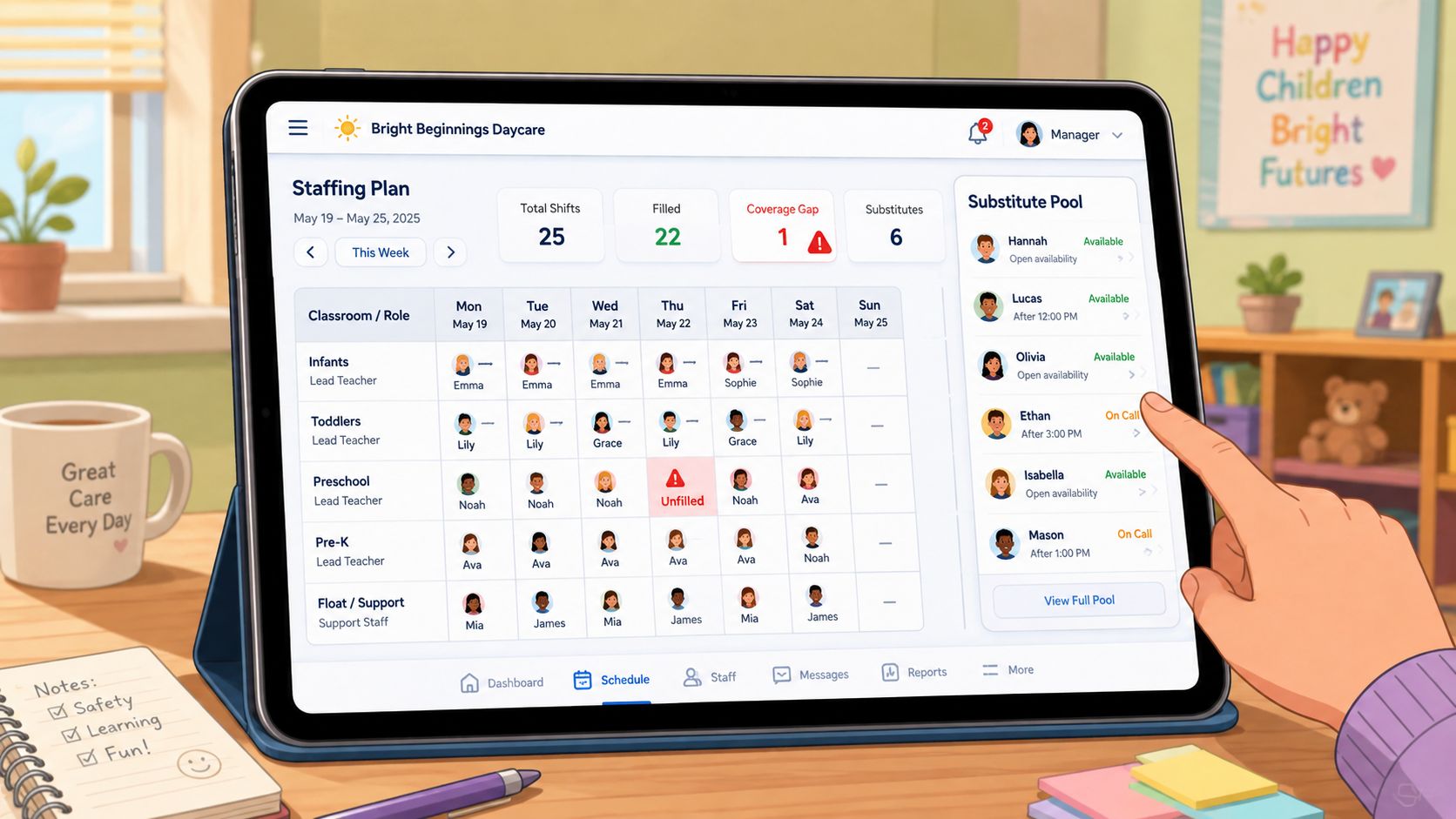
A floater pool is only useful if you store more than just names. Record availability, qualification, possible groups, and workload. If a specialist is absent, the search should not show all reachable persons but first those who can cover the specific gap professionally and timely.
Career changers can be support but do not automatically replace the required specialist. Your planning must show which roles they may take and which staffing remains necessary.
Not Every Gap Should Be Filled
With staff shortages, there is a temptation to fill every shift somehow. This quickly leads to overload, unfavorable shift changes, and shifting the problem to the next day. Good planning also shows when redistribution is no longer justifiable.
An unstaffed shift is a problem. A seemingly staffed shift with the wrong qualification mix is a bigger one.
Keep three levels separate: the minimum staffing for children, the professional composition of the team, and the working ability of your employees. If only the first level is visible, you plan too short.
You can learn about the use of AI applications for healthcare if you want to evaluate digital support in health and care. For your daycare, however, the concrete rule check counts. A system must not give an opaque recommendation if you cannot understand why a person was suggested.
Organize Availability Without Pressure
Ask employees early for availabilities, give them a clear channel for changes, and document commitments. A digital pool can distribute requests but does not solve wage issues or lack of prospects. It mainly prevents you from starting from scratch with every absence.
Here you see how a digital planning process for flexible teams can look:
Then consciously plan a human decision. Management knows group dynamics, onboarding status, and team workload. Software should prepare this decision, not take responsibility for care.
Rollout in Your Facility
Don’t start with the software. Start with a clean inventory. Collect employees, roles, qualifications, workloads, availabilities, holidays, groups, and recurring shifts in a verified list.
Clean Data Before Starting
Remove duplicate names, clarify incomplete workloads, and mark qualifications with a clear status. Define which information management maintains and which employees may change themselves.
Then first set up a small test group. Include a manager, a specialist, an assistant, and a person with changing availability. Let them check a real plan instead of just watching a presentation.
Keep Parallel Operation Short
A short parallel operation with Excel can make sense. But don’t permanently publish two binding plans. Otherwise, employees report changes in two places, and you have the same uncertainty as before.
Work with a clear switch date. Until then, Excel remains the reference; after that, only the digital plan applies. Check before switching whether sick notes, holidays, and short-term substitutions work in the new process.
For team support, a Change Management Guide 2026 can provide additional ideas. But what matters in your daycare is a simple process: short introduction, real practice, fixed contact person, and a rule for where changes are reported.
Adjust After Launch
Collect feedback after the first planning cycles. Don’t just ask if the interface is liked. Ask if employees find their assignments, if absences are handled faster, and if management has fewer lists to reconcile.
If a process doesn’t work, change it early. Software can only work as well as the data and rules you provide.
Conclusion and Next Steps for Your Planning
An expensive solution is not automatically a suitable solution. You recognize Swiss suitability by whether the provider can map cantonal staffing ratios, qualification mix, rest times, part-time workloads, and real absences in a test plan. Promises of time or cost savings do not replace this practical test.
Do these three things this week:
- Document a real bottleneck week: Note sick calls, open shifts, manual reconciliations, and qualification problems.
- Define your must-have rules: Record which groups, roles, workloads, rest times, and cantonal requirements the system must check.
- Test with real data: Ask two providers for the same scenario plan with late shift, early shift, holiday, additional occupancy, and short-term absence.
This way, you won’t find just any daycare roster software but a tool that fits your license and daily routine.
job.rocks offers shift planning, employee pools, availabilities, qualification-based assignment, and time tracking for flexible teams. Visit job.rocks, check the suitable feature set for your daycare, and bring a real bottleneck plan into the conversation.