
Online shift planner: create a roster & compare tools
Create a shift plan online in 6 steps, from staffing needs to approval. Compare templates, roster apps and assignment planning for Swiss teams.
Short answer: An online shift planner is a web-based tool for creating rosters, filling open shifts, checking availability and keeping employees up to date via app. It replaces Excel files, WhatsApp lists and phone chains with one central plan that works in the browser and on smartphones.
It becomes especially useful when you coordinate changing shifts, flexible employees, qualifications, absences and time tracking. For Swiss operations, the value is not just a cleaner calendar, but a process: define demand, find suitable people, invite employees, track confirmations and hand over approved hours.
Test an online shift planner on a phone: does the change reach your team?
An up-to-date office roster is not enough. Staff need to see the right shift while on the move. Use a fictional assignment and a dedicated test account before sending real invitations:
- Open the plan: Can you read the date, start, end, location and contact on a small screen without scrolling sideways?
- Check a change: Move the start time in the test plan. Reopen the assignment and check that the new time is clear. An old screenshot remains an old version.
- Distinguish responses: A delivered push notification is not an acceptance. Check which status appears after the person actually responds.
- Disconnect: Check what remains visible without a connection and whether a pending response is actually saved after reconnecting. Offline features vary by provider.
- Limit access: Use the test account to check which other assignments and personal data are visible. Adjust permissions before launch.
Temporary staffing example: If the meeting point for a service shift changes, the assigned person needs to identify the new location; the dispatcher needs to know whether a response is still missing. Ask to see this workflow with the employee app. This is a test scenario, not a promise of specific offline features or read receipts.
How to create a shift plan online
Want to create a usable roster now? Start with one week and one location. Use these six steps as a checklist, whatever tool you choose:
- Record demand: Enter the date, start, finish, break, location, role and number of people needed for each shift.
- Collect availability: Gather responses and absences before assigning people. No response is not a confirmation.
- Check coverage: Review qualifications, overlapping shifts and applicable working and rest times. Software warnings do not replace your review.
- Assign the draft: Allocate people or invite a reviewed group. Distinguish requested from confirmed.
- Approve the roster: Decide who may publish it. Check on a team member’s phone that the location, time and contact details are clear.
- Keep changes current: Record absences, replacements and new confirmations in the same plan; review actual hours separately from scheduled hours.
Where should you start? For a printable weekly roster, use the Excel shift-plan template. For recurring shifts in a stable team, compare roster software. For changing locations and a flexible employee pool, start with operational assignment planning. This article is a selection guide, not an online planner you can fill in directly.
Compare an online shift planner in 15 minutes
Test one real staffing gap instead of reading a feature list: create an open shift with a required qualification, find available people, send an app invitation, track confirmations and review the recorded time. If any step needs a separate spreadsheet or chat, the workflow is not truly connected.
Also compare data protection, access rights, working-time warnings, payroll handover and the complete price model. job.rocks connects the employee pool, staffing, app invitations and time tracking. Its public price anchor is CHF 2 per assignment; prepaid volume packages are available on request. Review the workflow in a demo and the terms on the pricing page.
What an online shift planner means in practice
Imagine no longer organising shifts through countless WhatsApp messages, calls and a constantly outdated Excel file. Instead, one system shows availability, stored qualifications and the current staffing status. Working-time warnings can support the planner, but responsible people still review the published plan.

Essentially, it's about simplifying and automating the entire personnel scheduling process. You switch from a reactive, often chaotic method to a structured and forward-looking approach.
The crucial difference to manual planning
When planning manually, you as the planner are the bottleneck through which all information has to flow. An employee calls in sick via text message, a colleague asks via email about a shift swap, and the availability for next week is left on a note on your desk. You're the one who has to put all these puzzle pieces together by hand and hope not to make a mistake.
An online shift planner turns this principle around. It creates a single, shared place for all information that everyone on the team can access.
- Availabilities:Employees enter their free times independently in the app. You don't have to chase anyone anymore. An example: Your student, who can only go on Tuesdays and Thursdays, blocks the other days. You see that immediately.
- Shift swap:If two team members want to swap shifts, they can request this directly in the system. All you have to do is agree briefly. This means that the barista for the early shift swaps with the colleague from the late shift without you having to mediate.
- Communication:All important information – such as special tasks or customer information – is stored directly in the respective shift and is immediately visible to the assigned person. For example: “Please accept the drink delivery today.”
A good planning tool doesn't take away your control, but rather gives you the right information to make better and faster decisions. It transforms planning from a chore into a powerful, strategic tool.
Comparison: Manual planning versus online shift planner
To make the differences more tangible, a direct comparison helps. The following table shows where the biggest weak points in manual planning lie and how a digital tool solves them.
| feature | Manual planning (e.g. Excel) | Shift planner online |
|---|---|---|
| accessibility | Only on one device; not in real time. | Always up to date, accessible from anywhere via app or browser. |
| communication | Chaotic via text messages, emails, calls. | Centralized in the tool; all information is directly on the shift. |
| Susceptibility to errors | High; manual transmission errors, double bookings. | Clearly lower when conflict and double-booking warnings fit your workflow; test both in a demo. |
| Time commitment | Very high; constant manual adjustments required. | Significantly lower; Automation of routine tasks. |
| transparency | Small amount; Employees often have no current insight. | High; everyone sees their current plan and can interact. |
| Compliance | Manually checking working time laws is laborious. | Configured break, rest and working-time rules are checked visibly while planning; the assessment stays with you. |
The table makes it clear that it is not just about a digital copy of the old plan, but about a fundamentally new, better process.
Quick decision: when is Excel enough and when do you need an online shift planner?
| Situation | Excel may still be enough | An online shift planner pays off |
|---|---|---|
| Team size | Small fixed teams with few changes. | Many part-time, temporary or on-call employees. |
| Staffing | Shifts are almost always staffed the same way. | Open shifts must reach suitable people quickly. |
| Communication | A short notice or chat message is enough. | You need push notifications, confirmations and live status. |
| Payroll handover | Hours rarely change after planning. | Time tracking, breaks, expenses or payroll exports must be reliable. |
Rule of thumb: once you spend more time chasing people than planning the work, an online shift planner is no longer a nice-to-have. This is where job.rocks helps: planning, invitations, employee app and time tracking are connected in one workflow.
An example from everyday life that you know
Imagine a restaurant on a busy Friday night. Suddenly a waiter calls in sick. When it comes to manual planning, chaos breaks out: the calling around begins. You'll be calling one person at a time to find a replacement, wasting valuable time while business is running at full speed and guests are getting impatient.
With aOnline shift plannerthe situation looks completely different. You mark the open shift in the system as unoccupied. The tool can instantly show you a list of all employees who are availableandhave the necessary qualifications (e.g. experience in service). You release the open shift for this group, and the first person who accepts via the app gets the assignment.
The fundamental difference is that available and suitable people appear in one workflow instead of being pieced together across several channels. Measure the actual time gain in your own pilot.
The core functions of a good shift planner
A really good oneShift planner onlineis much more than just a digital calendar. It's more of an intelligent assistant that helps you get the right people in the right place at the right time - all without having to worry about complex legal rules. Let’s take a look at the features that will really change your everyday planning routine.
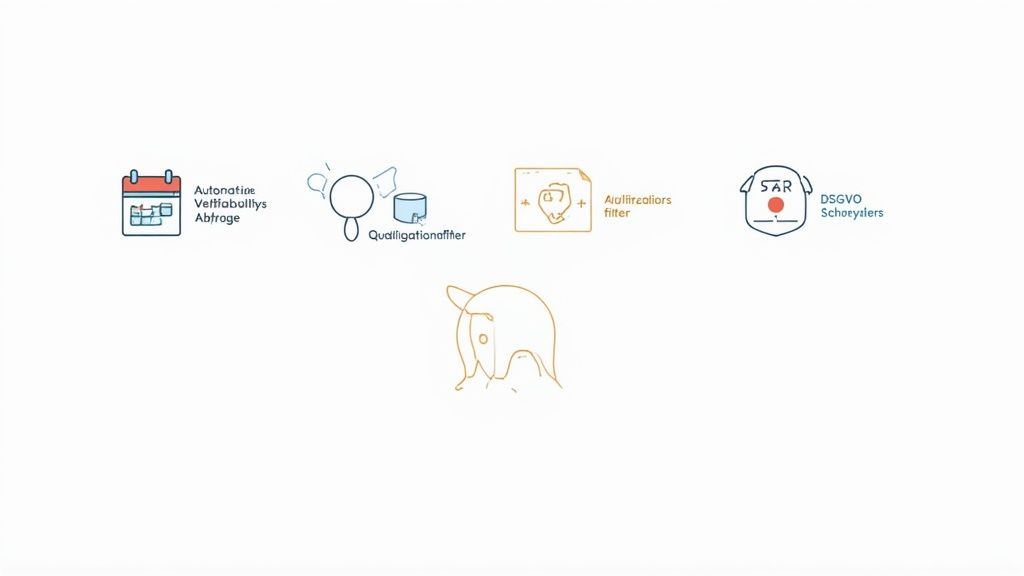
Automatically query availability and requests
The biggest time waster in manual planning? The tedious collection of information. Who can and when? Who would like to have time off? A modern system completely turns this process on its head.
Employees simply enter their availability and absence requests into their app themselves. For you, this means no more calling after you. When assigning shifts, the planner immediately shows you who is available and who is not.
Imagine planning Christmas week. Instead of digging through countless emails, you can see at a glance in the system:
- Anna is fromDecember 24th to 26thmarked as absent.
- Ben has his availability for the12/27 from 8 a.m. to 4 p.mregistered.
- Carla has an open holiday wish for him31.12.deposited.
This clarity nips conflicts and frustration in the bud and increases satisfaction in the team because wishes are visibly taken into account.
Use qualifications in a targeted manner
Not everyone can take on every task. You need someone with cashier experience for the late shift in retail or a nursing specialist with special certification for night shifts. This is exactly where qualification filters come into play.
You enter once in the system what skills each employee has. When planning, you can then filter specifically for the necessary knowledge or let the system suggest suitable people directly to you.
An example from healthcare:
A shift may require staff with specific training and valid qualifications. An online shift planner can filter by recorded criteria. The responsible planner then checks whether the proposed staffing meets the professional requirements.
Make working-time rules visible
An online shift planner can support checks for breaks, rest periods and maximum working hours. It does not replace correct configuration or professional review: the applicable rules depend on the sector, working model and permits.
In a demo, check exactly which rules the tool can represent, what warnings look like and whether responsible people can review a plan before publication.
Typical checkpoints include:
- Maximum working hours:You will receive a warning if you plan to schedule someone for too many hours.
- Minimum rest periods: Warnings highlight possible overlaps between late and early shifts.
- Break rules: Configured break rules can be checked in the plan.
For legal interpretation, the official SECO guidance on shift plans remains the more reliable source. Software helps apply an approved process consistently; responsibility for the published plan remains with your organisation.
Connect time recording and payroll
The best plan is useless if the actual hours worked are not accurately recorded. Many modern shift planners therefore offer built-in mobile time recording. Your employees clock in directly via the app at the start of their shift and clock out again at the end.
Recorded hours can be reviewed and used for payroll preparation or export. In a demo, test how corrections, breaks, approvals and expenses are handled and whether the handover fits your existing system.
What your team and your company get out of it
The value of an online shift planner depends on your starting process. The potential is greater with frequent changes, several locations or a flexible employee pool than with a small team working unchanged weekly shifts.
Instead of relying on blanket savings claims, measure the same figures before and after a pilot: planning time, employee queries, unfilled shifts, short-notice changes and corrections to recorded hours.
More time and less costs for the company
The direct cost savings come from different corners. Less manual work logically means fewer personnel costs for administration. At the same time, intelligent planning ensures that expensive overtime does not arise in the first place because the system indicates bottlenecks or impending overruns of hourly accounts at an early stage.
Other financial benefits include:
- Reduced error costs:A wrong shift or a violation of labor law can be really expensive. A digital system minimizes these risks.
- Better utilization:You can see at a glance where there is a lack of staff and where you may be overstaffed. This means you can use your resources in a much more targeted manner.
- Traceable planning:Measure during the pilot whether queries and misunderstandings actually decrease.
More autonomy and satisfaction for your team
A digital shift plan brings a completely new form of clarity and flexibility for your employees. Constant access to your own, always up-to-date roster via smartphone creates clarity and ends the time of misunderstandings. No one has to make a phone call or decipher an outdated note in the break room anymore.
A transparent and fair planning process is one of the greatest levers for employee satisfaction. When your team feels that their needs are being taken seriously, motivation increases noticeably.
In particular, the opportunity to actively participate in planning fundamentally changes the way we feel at work.
A practical example from logistics:
An employee in the warehouse realizes that he cannot start an assigned early shift due to a private appointment. Instead of calling you as a planner, he opens the app, releases the shift for swapping, and a colleague who would like to work earlier takes over with one click. You just receive the notification that the exchange has been approved – that’s it.
This self-determination is worth its weight in gold. Employees can balance their work with their private life much better, which directly improves the work-life balance.
The advantages at a glance
In summary, a clear win-win situation arises. The following table compares the most important benefits for companies and employees.
| Benefits for the company | Benefits for the team |
|---|---|
| Significantly less time spent on planning. | Access to the current roster at any time via the app. |
| Reduction of overtime and personnel costs. | Easy digital shift swapping with colleagues. |
| Better regulatory compliance. | Transparent vacation and absence planning. |
| Higher planning quality and fewer errors. | More autonomy and flexibility in everyday work. |
| Lower employee turnover. | Better work-life balance. |
The best way to verify whether these benefits appear is a limited pilot team with a clear baseline measurement.
Choose the right online shift planner
The market for digital tools is huge, but not every solution automatically fits the processes in your company. Choosing the right online shift planner is therefore a crucial step. This guide will provide you with a practical checklist to help you make an informed decision.
It's not about finding the tool with the most features. It's about finding the one thatyourbest solves specific problems. A seasonal business like an ice cream parlor has completely different requirements than a hospital with three shifts.
Your checklist for making the right choice
Before you jump into demos and sales discussions, you should clearly define your own needs. The following points will help you keep track and separate the wheat from the chaff.
- Ease of use:Is the interface tidy and understandable? Remember, your entire team has to work with it - from digital professionals to those who don't like technology. Complicated software quickly becomes a burden instead of a help in everyday life.
- Scalability:Is your company growing? The shift planner must be able to grow with you. A flexible system adapts, regardless of whether you are today15or in a year50employees plan.
- Mobile app:A large part of your team will use the planner on their smartphone. Check whether the mobile application is easy to use and offers all important functions such as shift swapping, availability reporting and time recording smoothly.
- Integrations:Can the planner be connected to your existing systems? A clean interface to payroll accounting is often the most important criterion for reducing administrative effort to a minimum.
A clear and tidy user interface is often the first sign of a well-thought-out tool.
This screenshot shows a clear weekly view in which shifts, employees and open positions are clearly visible - a good example of an intuitive planning interface.
Understand and compare pricing models
The cost of oneOnline shift plannercan vary greatly. It's important to know the different pricing models to find the right one for your budget and needs.
Common models are:
- Per user per month:You pay a fixed amount for each active employee in the system. This model is transparent and easily scalable, ideal for companies with a stable number of employees.
- Subscription packages:Here you buy a package for a certain number of users (up to 50 employees). This can be cheaper if you are close to the upper limit of the package.
- Flexible models:Some providers that specialize in industries with fluctuating staffing needs (such as events or catering) offer flexible pricing. Here you may only pay for the people you actually plan to pay in a month.
Hidden costs are a common annoyance. When making your selection, pay close attention to whether there are additional fees for setup, support or important interfaces. An offer that seems cheap at first glance can quickly turn out to be expensive.
The underestimated factor: customer support
Especially in the initial phase, when you are introducing the system and training your team, you will have questions. Good, quickly accessible customer support is worth its weight in gold during this time.
Check in advance which support channels are offered (phone, email, chat) and when they are available. Is there a knowledge base or video guides to help your team get started? A good partner won't leave you alone after signing the contract.
Evaluate support in practice: submit a specific question before buying, check response time and answer quality, and clarify which services are included in the chosen package.
The successful introduction into your company
A new tool is only as good as how it is accepted and used by your team. The best software is of no use if it encounters resistance or is used incorrectly. That's why a thoughtful introduction is key to unlocking the full potential of your newShift planner onlineto exploit.
The whole process can actually be divided into three clear phases: thorough preparation, the careful setup of the system and the accompanied starting signal in the team. If you follow these steps, you will lay the foundation for a smooth transition and high acceptance from day one.
Phase 1 The right preparation
Before you even make a single click in the new system, the most important work begins. You have to clearly define which specific problems the new shift planner should solve. Is it primarily about saving time when planning? Do you want to avoid expensive overtime? Or is there simply a need for more overview for the employees?
Very important: get key people on board right from the start. This can be a particularly committed team leader or a technology-savvy employee who can later serve as a contact person for colleagues. These “champions” are worth their weight in gold – they help you understand the mood in the team and naturally promote the new tool.
This infographic shows the basic process for finding the right shift planner, which is the first step in your preparation.
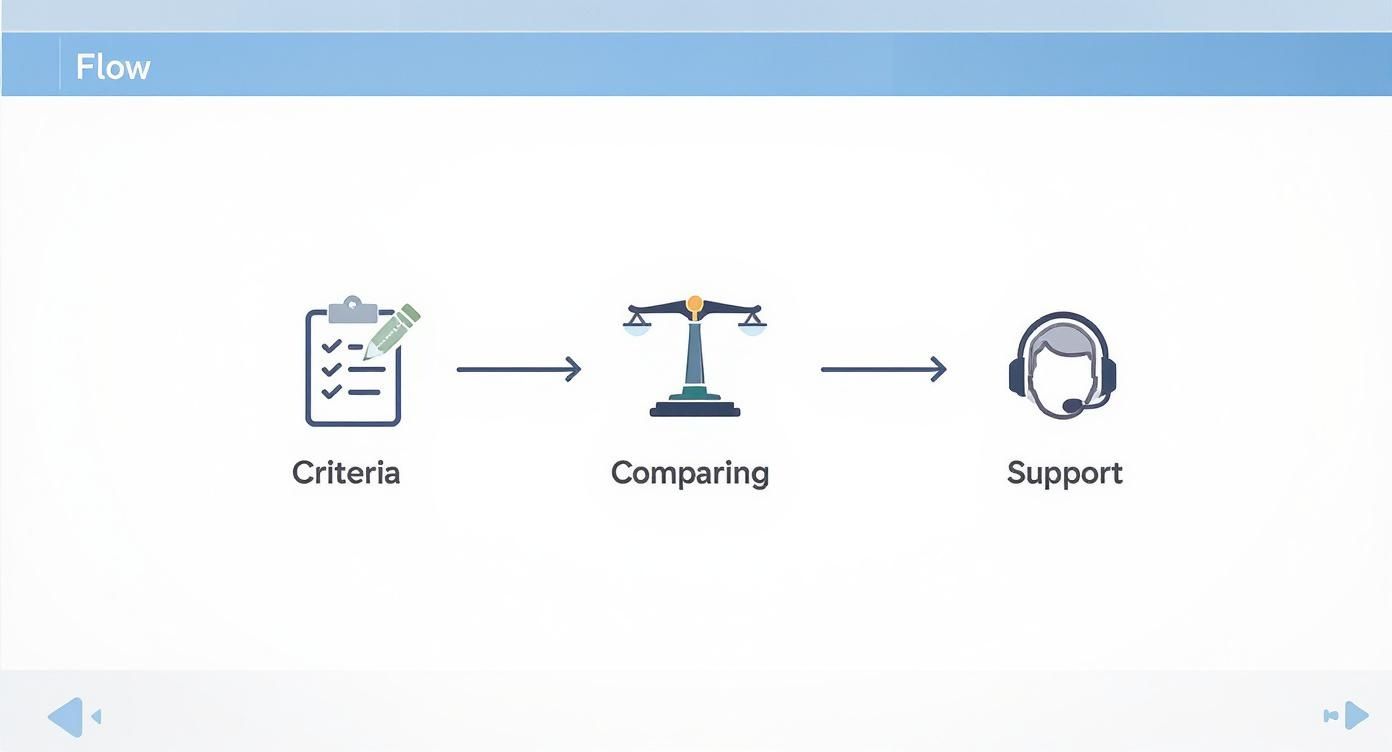
The graphic makes it clear: the selection should be based on clear criteria, a careful comparison and checking the support. This makes later introduction much easier.
Phase 2 Setting up the system
Now it's getting concrete. In this phase you set it upShift planner onlineso that it perfectly reflects the reality of your business. This means that you create all relevant master data – cleanly.
These typically include:
- Employee profiles:Create a profile for each person with contact details, contractual working hours and, above all, their individual skills.
- Locations and departments:Define the different work areas so that you can assign the staff specifically. After all, a large hotel has different areas than a small boutique.
- Qualifications and Roles:Describe who can and is allowed to do what. Who is a first responder? Who is allowed to operate the cash register? Who speaks French fluently?
Make sure you take enough time for this step. The more precisely the data is maintained here, the easier, faster and more error-free subsequent planning will be.
The most common adoption mistake is rushing setup. A system that starts with incomplete or incorrect data creates frustration from day one and undermines your team's trust.
Phase 3 The start in the team
The introduction itself is the moment of truth. Communicate openly and honestly why you chose the new tool. Don’t just focus on the benefits for the company, but above all on the improvements for each individual employee.
A simple example:Instead of saying, “This saves us administrative costs,” explain it like this: “From now on, you can always see your roster live on your cell phone, swap shifts directly with colleagues and submit your vacation requests with one click.” This is tangible and positive.
Instead of converting the entire company straight away, start with a pilot group. Select a department or small team and test the new process for two to four weeks. The feedback from this group is extremely valuable in eliminating any teething problems before you roll out the shift planner across the entire company.
The digitalization of processes such as shift planning is becoming increasingly important in Switzerland. According to the 2025 monitoring report on digital administration, there are already79%of the government services examined are available online, which shows the general trend towards digital solutions. You can find out more about the progress of digital administration in Switzerlandread here.
Measure the success of your shift planner
Whether an online shift planner pays off can only be judged against your own baseline. Before the pilot, define which metrics you will compare and over what period.
The trick is to simply look at what has changed since the tool was introduced. There are hard, financial metrics and softer factors, but they are at least as important. Only the two together create a complete picture.
Hard facts: The most important key figures
Let's start with the numbers that are directly reflected in your balance sheet. These key figures are relatively easy to collect because you can make a crystal-clear before and after comparison.
- Reduced planning time:That's the most obvious win. Stop the time you or your planners spent on scheduling each week before the launch. Compare this value with the effort after a few weeks with the new tool. Every hour saved is a direct cost benefit.
- Reduced overtime costs:A good oneOnline shift plannerhelps you cover staffing needs much more accurately. Analyze the overtime payouts from the three months before the introduction and put the values from afterwards next to them. These costs often fall drastically because the system warns of bottlenecks at an early stage and you no longer over-plan blindly.
- Fewer short-term outages:Keep an eye on how often shifts suddenly went unfilled or you had to call in expensive external staff. Smart planning and simple exchange options for employees noticeably reduce these “firefighting operations”.
The true value of a planning tool is not only reflected in the time saved, but above all in the avoidance of expensive mistakes. Every unfilled shift and every incorrectly planned overtime costs you money – and nerves.
Soft factors: Keep an eye on employee satisfaction
Financial gain is only one side of the coin. At least as important is how the new system is received by your team. Satisfied employees are more productive and stay with your company longer, which in turn saves expensive recruiting costs.
But how do you measure satisfaction?
It’s simple: ask your team. Short, anonymous surveys are an extremely effective tool. After a few months, ask specific questions about the new planning:
- How easy do you find it to view your roster on your phone?
- Do you now feel more involved in planning your working hours?
- How well does the digital shift swap work for you in everyday life?
Rate the answers on a scale from 1 to 5. Even a small improvement in the average score is a big success. It is the best sign that the new system is really being implemented and accepted in everyday life.
A measured pilot instead of a sample calculation
Start with one team, one location and a defined period. Record current planning time and count queries, short-notice replacements and time corrections. Repeat the same measurement after the pilot. Only the difference shows whether the online shift planner improves your process.
Value time gains using the hours actually measured and your internal full costs. This creates an auditable decision instead of a sample calculation that may not match your operation.
Frequently asked questions about online shift planners
You now have a good overview of the world of digital shift planning. Nevertheless, there are usually still a few open points before you decide on oneShift planner onlinedecides. Here we clarify the most common questions that we come across again and again in everyday life so that you can make a safe decision.
How secure is my employee data in the cloud?
This is one of the most important questions of all, and the concern is absolutely justified. After all, this is about sensitive personnel data. How well a provider protects sensitive personnel data is something you check concretely: ask about compliance with the General Data Protection Regulation (GDPR) and the Swiss revFADP, about data-processing agreements and access rights.
The server location alone says little about quality. Ask for a transparent description of where data is stored, how it is encrypted during transmission and storage, and whether regular security audits take place. Keep these statements in writing during the selection process.
A good provider treats data protection as a central quality feature and can substantiate its protective measures. A blanket security promise does not replace this evidence.
How long does it take to introduce such a system?
The duration depends on team size, data quality, roles, locations, rules and integrations. A small pilot can start quickly; a full rollout needs more preparation. In the demo, ask to see the import of your master data, the setup of roles and shifts, and the training effort using your own example.
Is an online shift planner also suitable for small businesses?
Yes, when the planning workload justifies it. For small teams, an online shift planner is most useful when shifts change frequently, availability must be collected or information is split between spreadsheets and chats. Stable weekly shifts may need only a simple solution.
Many providers also have special pricing models for small businesses or start-ups, which are based on the number of employees. This way you only pay for what you really need. AShift planner onlineis definitely not just a corporate tool, but a smart solution for anyone who wants to use their staff fairly and with little effort.
How much does an online shift planner cost?
Common models charge per user, by package or by actual use. Compare the same real workflow and include setup, support and integrations. job.rocks uses a public anchor of CHF 2 per assignment; prepaid volume packages are available on request.
Can an online shift planner suggest shifts automatically?
Many online shift planners can suggest suitable people based on availability, qualifications and already planned hours. How far the automation goes differs by provider: some tools only propose candidates, others can invite target groups automatically. In a demo, check which suggestions the system makes, which criteria sit behind them, and whether you can review every assignment before sending. Responsibility for the final roster remains with the responsible person even with automatic suggestions.
Review online shift planning with job.rocks
If you need more than a calendar, job.rocks helps you plan shifts, invite employees through the app, track confirmations and record working time cleanly. The platform connects staffing, employee pool, push notifications, time tracking and operational reporting in one workflow.
Book a demo and see online shift planning, review the pricing, or start with the job.rocks staff planning platform.