
PEP Software Switzerland – The Complete Guide 2026
PEP Software Switzerland clearly explained. Learn what personnel deployment planning can do, which functions matter, and what to consider when choosing.
On Friday evening, an additional bar opens in Zurich. The dispatcher opens the Excel file, assigns names, and sends the schedule around. On Saturday morning, three employees cancel. On Sunday, a different name appears in a position, overtime is only estimated, rest periods were not checked, and one break room is understaffed while another is double-booked.
This is exactly where a simple duty roster differs from PEP Software Switzerland. A suitable solution queries availabilities, checks shifts against stored rules, searches for replacements in the open personnel pool, and records changes transparently. In the end, the customer receives a clean report instead of a chain of chat messages, copied tables, and subsequent corrections.
Table of Contents
- When the Duty Roster Becomes a Risk
- What PEP Software Actually Is and What It Is Not
- Compliance in Switzerland: Working Hours, Overtime, Data Protection
- Core Functions of a Modern PEP in Interaction
- Industry Comparison: Event, Hospitality, Healthcare, Security
- Selection Criteria, Integrations, and Rollout in Practice
- Positioning of job.rocks and Next Steps for You
When the Duty Roster Becomes a Risk
On Friday evening, an additional bar opens in Zurich. The dispatcher opens the Excel file, assigns names, and sends the schedule. On Saturday morning, three employees cancel. On Sunday, a different name appears in a position, overtime is only estimated, rest periods were not checked, and one area is understaffed while another is double-staffed.
Excel is sufficient for a small, stable team. With changing assignments, multiple locations, and last-minute cancellations, the spreadsheet becomes an error amplifier. You can see who is assigned, but not reliably whether the person is available, qualified, or has already accumulated too many hours.
A forgotten spreadsheet version is enough for the wrong person to show up at the assignment location. Then follow reassignments, inquiries, and corrections under time pressure.
Practical Rule: If you have to check which file is current with every change, you don’t need another Excel training. You need a central schedule with traceable rules.
What Changes with PEP
A PEP solution starts with the concrete demand. You define the location, time window, role, and required qualifications. The system matches this information with your personnel pool and shows which people are basically suitable. Availabilities and feedback remain in one place instead of being scattered across email, messenger, and spreadsheets.
With an additional bar, you quickly see who is available and fits the task. If someone drops out, you open the assignment for suitable people instead of searching through old messages. The scheduling remains with you, manual searching is shorter, and changes remain traceable.
Why the Swiss Framework Matters
Working time rules belong in deployment planning, not only in payroll. Which limits specifically apply is shown in the compliance section below. The appropriate PEP software makes possible conflicts visible early but does not replace your legal review or clear internal rules.
Its operational value lies in linking customer demand and team capacity. This connection decides whether your plan remains robust with changing assignments or collapses at the first cancellation.
What PEP Software Actually Is and What It Is Not
PEP stands for Personnel Deployment Planning. The software assigns employees to specific assignments by time, location, and role. Availabilities, qualifications, working hours, and depending on the system, cost targets flow into the plan.
The difference from a spreadsheet is not in the display but in the logic behind it. A spreadsheet shows entries. A PEP checks whether an entry fits the assignment and supports you with inquiries, reassignments, and documentation.
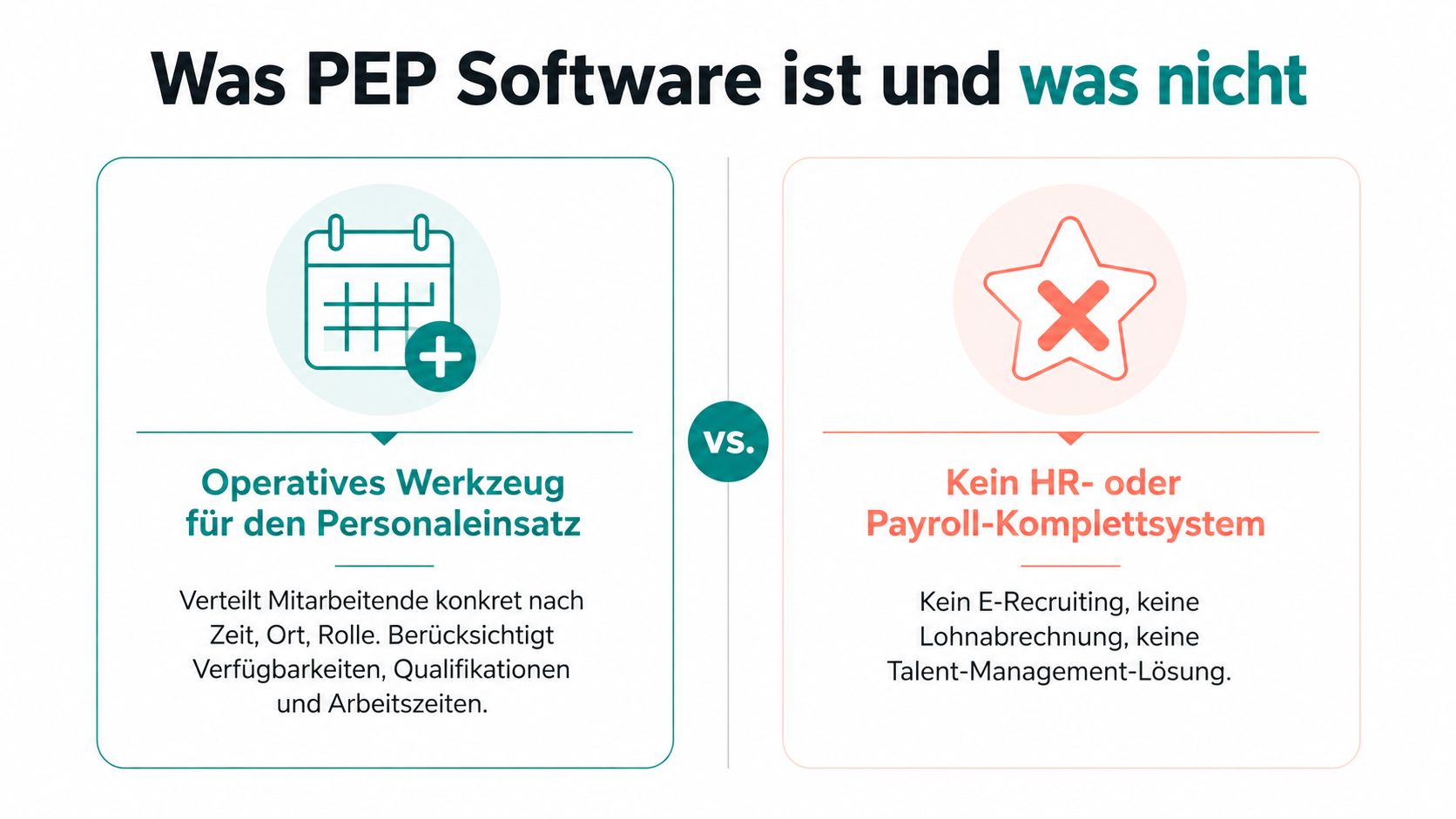
Duty Roster, PEP, and Workforce Management
A duty roster primarily answers one question: Who works when? It can be maintained as a paper plan, Excel file, or calendar. The solution does not have to query availabilities, check qualifications, or manage open assignments.
PEP software goes one step further. It maps the operational process around the assignment:
- Demand: You describe how many people are needed for which role.
- Staffing: You assign suitable employees based on availability and qualification.
- Change: You respond to cancellations, additional needs, and shifts.
- Proof: You record commitments, times, and adjustments.
Workforce Management (WFM) is the broader term. In a retail environment, it can also include demand forecasts, store planning, long-term capacity models, and sales performance metrics. A PEP is often a sub-area there, not automatically the entire WFM system.
Proper Classification of Industry-Specific Software
Industry-specific software for care, events, or hospitality brings sector-specific processes. This can be useful if you only map a narrowly defined process. As soon as multiple locations, changing teams, and a shared personnel pool come into play, you need a central level for staffing.
PEP thus lies between a simple duty roster and comprehensive WFM. For event agencies, hospitality businesses, care providers, and security services, this operational level is often the more suitable starting point than a large store system.
Compliance in Switzerland: Working Hours, Overtime, Data Protection
PEP software must make working time rules visible and flag violations early. The legal responsibility remains with you. Check industry, employment contract, and applicable regulations before releasing assignments. The system supports your control but does not replace legal assessment.
When planning, you first check the weekly maximum working hours. 45 hours apply to industrial, office, technical, and sales activities in large retail businesses. For other employees, the limit is 50 hours. This classification belongs before shift assignment because the same deployment planning is assessed differently depending on the activity.
Accurately Recording Overtime
According to Art. 12 ArG and the SECO overview of maximum limits, a maximum of 170 overtime hours per calendar year is allowed for a 45-hour week, and a maximum of 140 hours for a 50-hour week. Contractual overtime must be compensated with a 25% surcharge unless otherwise agreed. Clear rules for payout or time off must therefore be recorded in the contract and your processes.
If a service employee works 12 extra hours in a month, it must be traceable how you handle this time. A usable PEP separates planned, actually worked, and approved extra time. It also logs who approved a deviation.
| Regulation | Limit | Impact on Planning |
|---|---|---|
| Maximum working hours in large retail for industrial, office, technical, and sales staff | 45 hours per week | Check industry before shift assignment |
| Maximum working hours for other employees | 50 hours per week | Assign contract and activity area |
| Allowed overtime for 45-hour week | 170 hours per calendar year | Maintain account and mark exceedances |
| Allowed overtime for 50-hour week | 140 hours per calendar year | Continuously monitor annual status |
| Contractual overtime | 25% surcharge if not otherwise agreed | Document payout or compensation |
For hospitality businesses, the requirements of the L-GAV Gastronomy belong in the review. Further guidance on duties and controls is offered by mr. clean AG on compliance. A PEP does not replace these regulations but helps you translate them into operational processes.
Data Protection Belongs in the Selection Process
Availabilities, phone numbers, and qualifications are personal data. Medical fitness can be particularly sensitive. Therefore, only collect data you need for assignment, staffing, or proof, and define who may see it.
Role rights, change logs, and deletion rules should be clarified before the first import. Also check whether access and changes remain traceable. Data protection thus belongs in the selection of a PEP, not only at contract signing with the provider.
Core Functions of a Modern PEP in Interaction
The four functions only work as a process. Isolated shift planning helps little if availabilities are missing. Time tracking without reference to the plan shows hours but does not explain why deviations occurred.
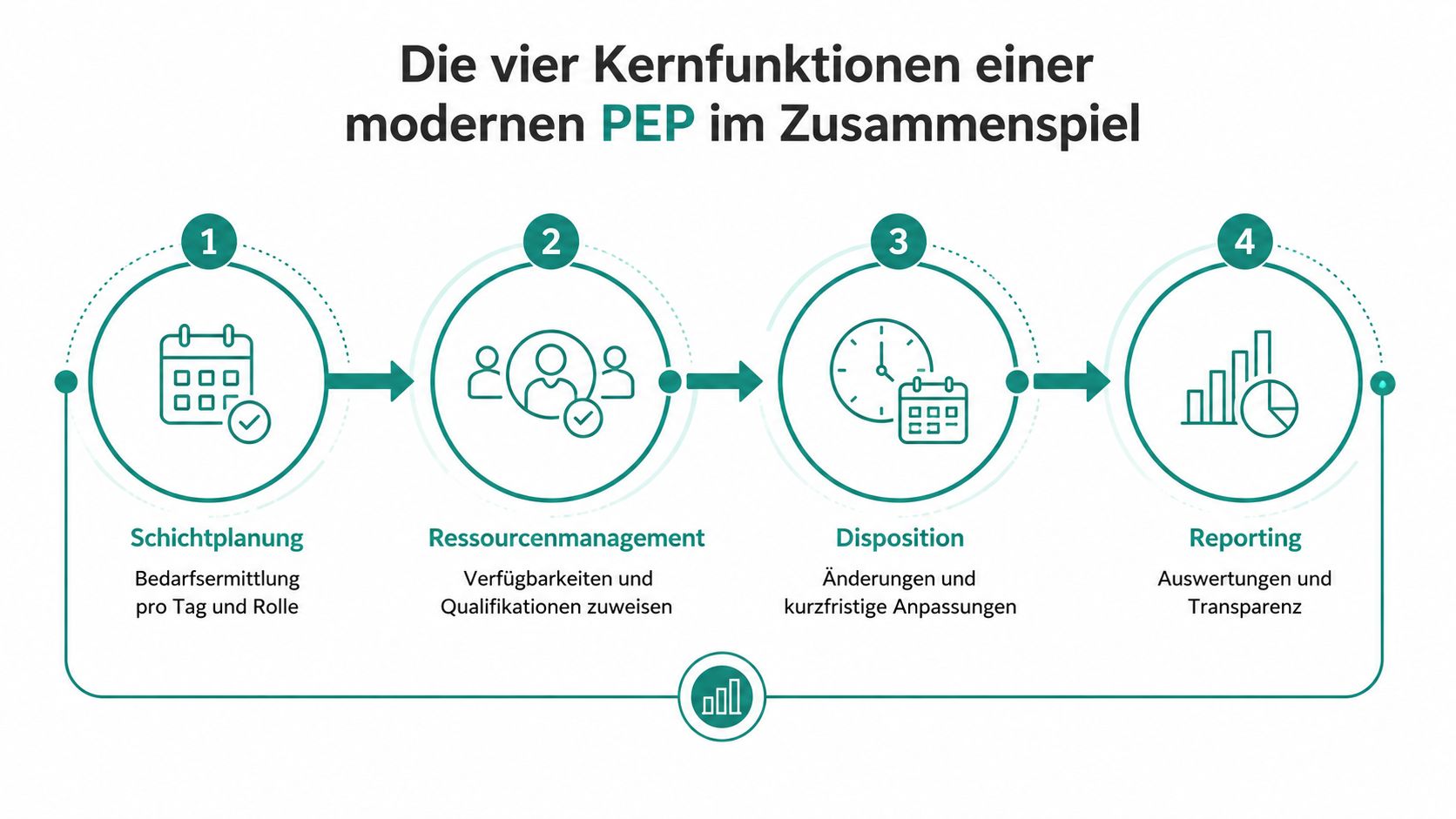
From Demand to Shift
You start with the demand per day, location, and role. For an event, this can mean planning service staff, bar staff, and a responsible person separately. The software suggests suitable employees if availability, qualification, and working time rules are stored.
Then you release the draft and distribute the assignments. Employees receive the details on mobile and can give feedback directly. This reduces manual inquiries but does not replace your control in special cases.
Availability Before Scheduling
The availability query belongs before the final plan. Employees enter preferred times, blocked days, or side jobs. This lets you see early which staffing is realistic instead of collecting cancellations only after publication.
For a short-term additional assignment, you open the shift for the suitable pool. Scheduling remains central, and selection is based on data already in the system. For interfaces to payroll, HR, or other systems, you can check the integrations and interfaces of job.rocks.
Time as a Control Layer
Time tracking compares planned and actual times. Depending on the provider, it is done via mobile, terminal, or web. Deviations become visible, for example, if a person starts earlier, stays longer, or a break was not recorded as planned.
Payroll preparation uses these verified times. Surcharges as well as night and Sunday work should be passed on in a structured way if the solution and your connected payroll software support this. Names like Abacus, Sage, or Loga belong in the technical review, not in an unchecked promise list.
Planning Rule: Don’t choose four separate modules if they don’t share a common data basis. The benefit arises only when plan, availability, actual time, and payroll preparation refer to the same assignment.
Industry Comparison: Event, Hospitality, Healthcare, Security
PEP does not work the same in every industry. You should first check how assignments arise, how much your personnel pool changes, and which proofs matter on site. A model for an event agency does not automatically fit a care provider or security service.
| Criterion | Event | Hospitality | Healthcare | Security |
|---|---|---|---|---|
| Shift Complexity | Changing times, roles, and locations | Recurring shifts with daily peaks | Staffing by demand, qualification, and rest time | Object-related shifts with fixed requirements |
| Personnel Pool Model | Temps, freelancers, and core team | Core team with changing additions | Skilled staff and sick leave replacements | Persons with object-specific suitability |
| Qualification Proof | Role and skill matching | Experience, function, and internal guidelines | Strict professional assignment | Permits and object-specific proofs |
| Short-Term Changes | Cancellations and additional assignments same day | Absences and changing workload | Sick leave replacements | Replacement for absence and object changes |
| Peak Workloads | Events and special productions | Service times and occasions | Care needs and short-term gaps | Assignments, events, and object demand |
Event and Hospitality
At events, you need a quick search for suitable people. Location, role, language, and availability must fit without long inquiries. Mobile changes are more important than a rigid monthly plan because the need often only becomes clear shortly before the assignment.
In hotels and gastronomy, shifts repeat more often, yet staffing and working hours change. Tips, surcharges, and hourly wage corrections belong in payroll process checks. The PEP must make visible whether the actual deployment deviates from the original plan.
Healthcare and Security
In care, professional assignment counts. You need clear proofs and documentation per patient assignment if your process requires it. Sick leave replacements must be found quickly without scheduling people unsuitable for the task.
In security, the focus is on the connection to an object. Permit proofs, assignment duration, and a verifiable history are more important than a nice calendar view. Your PEP should show who was assigned where and when and which documents are stored for the person.
Selection Criteria, Integrations, and Rollout in Practice
For a Swiss SME, selection does not start with a product demo. It starts with a list of your actual assignments. Write down who plans, how availabilities are collected, which payroll software you use, and where errors occur today.
Check at least these points with the provider:
- Data Location and Data Protection: Clarify where personal data is stored and how the provider handles Swiss data protection requirements and GDPR.
- Auditability: Every change to assignment, time, and approval should remain traceable.
- Mobile Use: Employees must see assignment details and give feedback without office access.
- Multilingualism: For teams in Switzerland, German, French, and Italian may be relevant.
- Support: Ask about reachable times, language, and responsibility in the Swiss time zone.
- Industry Fit: Have a real assignment from your daily routine mapped, not just a prepared standard demo.
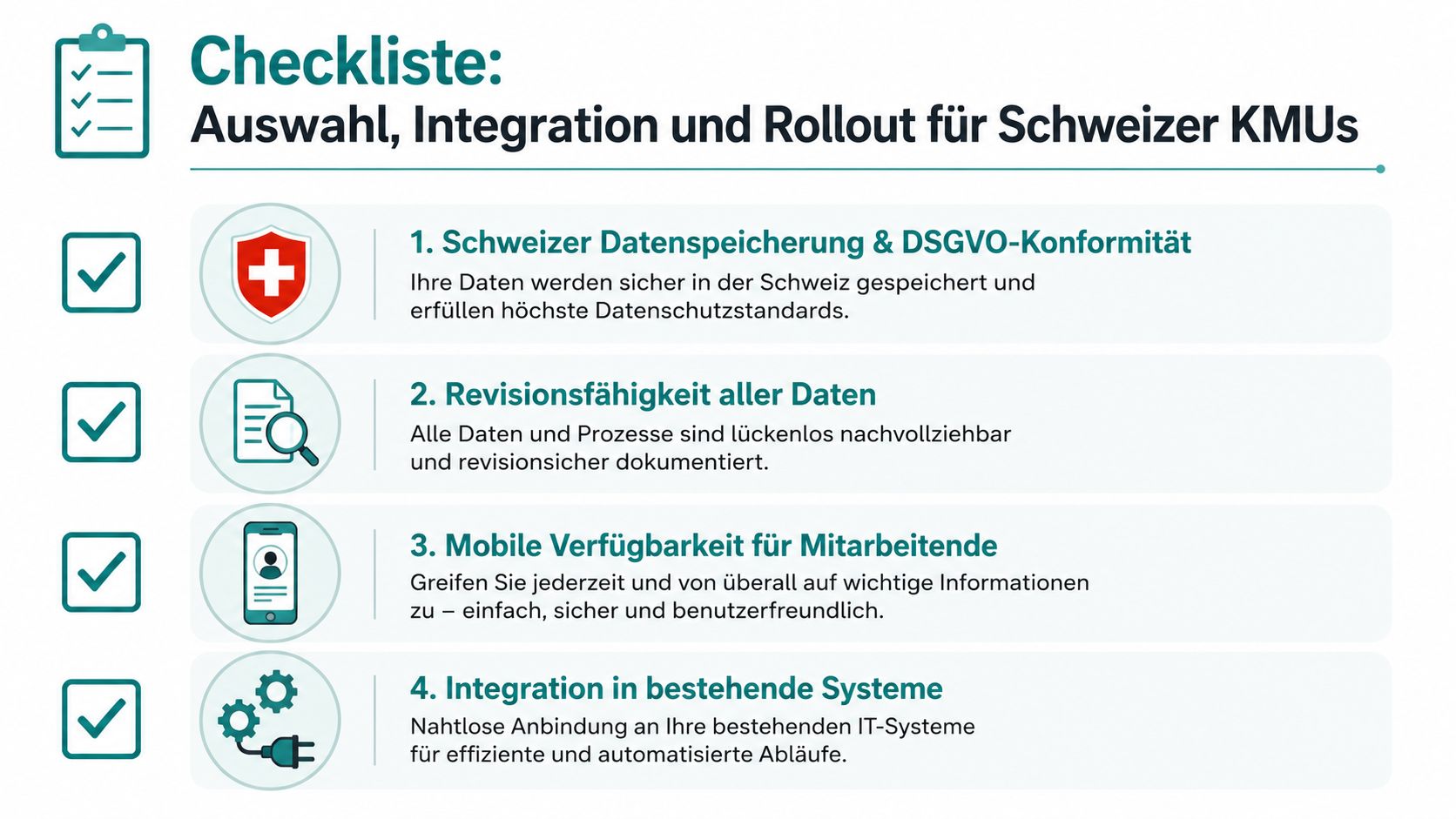
Clarify Interfaces Before the Contract
Payroll software like Abacus, Sage, Loga, or Mirus can be a central handover point. Check whether hours, surcharges, night and Sunday work can be exported or transferred in the required form. Calendars, Outlook, HR systems, terminals, and access solutions can also be relevant.
An open API sounds good but is not enough as a selection criterion. You need a clear picture of data flow. Which system leads for employees, which for working times, and which for payroll?
Rollout Without a Large Project
A sensible process looks like this:
- Record demand per location and team: Separate regular operations, peaks, and short-term assignments.
- Test with one department: Run a pilot over four to six weeks so real cancellations and corrections become visible.
- Train planners: Practice not only plan creation but also replacement search, approval, and corrections.
- Expand stepwise: Add more teams only when roles, rules, and data work cleanly.
- Define metrics: Observe planning adherence and overtime rate without deriving unchecked savings promises.
Typical mistakes are a too early full start, missing responsibilities, and unclear payroll processes. Decide only when a provider can map your most difficult assignment cleanly.
Positioning of job.rocks and Next Steps for You
job.rocks fits as an operational solution for changing assignments, personnel pools, and short-term scheduling. The platform is not to be classified as a complete HR or payroll system. It bundles deployment planning, pool management, availability queries, communication, time tracking, and payroll preparation in one workflow.
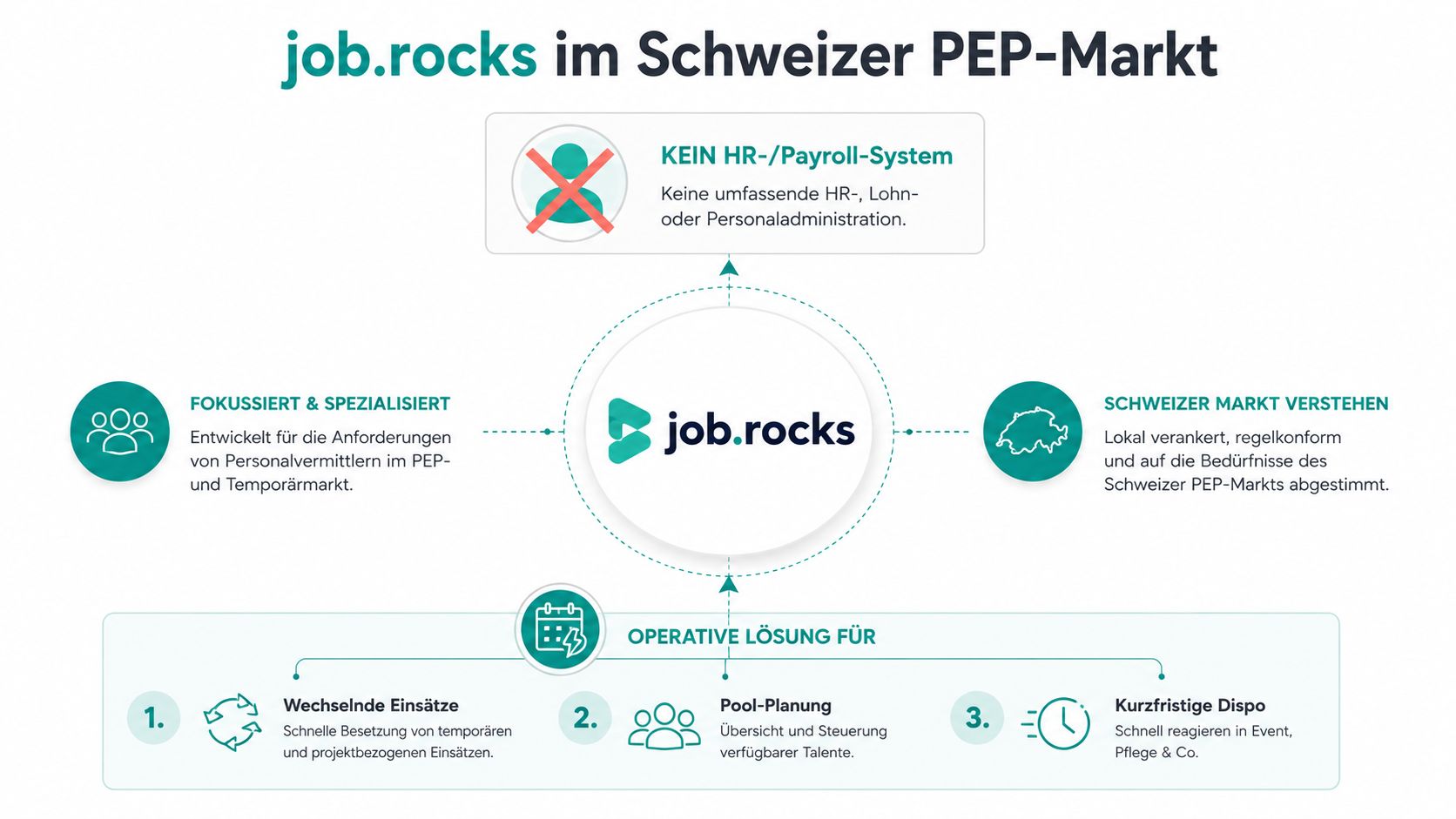
For event agencies, hospitality, care, and security, the model is understandable: You don’t have the same team at the same place every day. You need suitable people from a pool, quick feedback, and a mobile connection to the assignment. Qualification filters, personalized invitations, notifications, and clock-in/out support this process.
The boundary is where you look for a strongly store-specific retail WFM with sales forecasts, store metrics, and long-term capacity planning. For that, you should choose a provider that covers exactly this retail logic. A clear comparison to classic industry software can be found in the article job.rocks vs. legacy software in hospitality.
As a price anchor, you can expect CHF 2 per assignment at job.rocks. Volume packages are available on request. Have your own process shown in a demo, including cancellation, replacement search, time tracking, and handover to your existing payroll landscape.
Book a free demo and walk through typical processes in a 30-minute walkthrough. Clarify directly which systems need to be connected and whether your assignment structure fits better with an operational pool solution or retail WFM.
job.rocks supports you with changing assignments, personnel pool, shift planning, mobile communication, time tracking, and payroll preparation. Visit job.rocks now, book your free demo, and review your most difficult assignment together with the team.