
Staff scheduling tool: selection guide and 15-minute test
Which staff scheduling tool fits flexible teams? Compare demand, availability, qualifications, employee app, actual hours and total cost in a practical test.
A staff scheduling tool should connect demand, availability, qualifications, invitations, confirmations and actual hours in one workflow. For flexible teams, the decisive question is not whether the calendar looks polished, but whether you can handle a real absence or extra shift without a parallel spreadsheet and phone chain.
Use a 15-minute test: create one role, location and time, filter an eligible employee pool, send an app invitation, check the response status and review how actual hours are handed over. The tool is useful only when this complete workflow is clear and traceable.
| Test step | Evidence to look for | Warning sign |
|---|---|---|
| Demand | Role, headcount, place and time are explicit. | Key details remain in free text or chat. |
| Matching | Availability and required qualifications can be filtered. | Suggestions have no reviewable criteria. |
| Invitation | Selected staff receive assignment details in the app. | Phone calls and side lists remain necessary. |
| Status | Accepted, declined and unanswered invitations are visible centrally. | Status is spread across channels. |
| Actual hours | Recorded time can be reviewed before handover. | Planned and actual hours are mixed automatically. |
What a reliable staff scheduling tool should cover
Such a tool bundles all crucial information in one place and makes it available at the push of a button. Instead of laboriously trying to put together pieces of the puzzle, the system immediately answers the most important questions:
- Availabilities: Who is actually ready for work today and has indicated that they want to work?
- Qualifications: Who has the necessary certificates and skills for the specific application?
- Working hours: Who has not yet exhausted their contractual hourly quota and is legally still allowed to work?
This changes a reactive search into a structured process. The tool can narrow the pool using criteria you define; your planning team reviews the result and decides whom to invite.
Why this is essential today
A shared source of truth becomes valuable when assignments change, locations multiply or absences occur at short notice. The staff planning overview explains the wider process; for vendor selection, also test permissions, data protection and everyday mobile use.
A good planning tool is like a navigation system for your staff: It not only shows you where everyone is, but also finds the fastest and best way to fill every gap in the roster.
The message is clear: manual planning using Excel spreadsheets or telephone lists has its limits. Companies that need to react agilely and flexibly to unforeseen events can no longer avoid an intelligent, digital solution.
Manual planning versus digital deployment planning
The difference between the old and the new world of planning is huge. The following table shows at a glance where the greatest advantages of a digital tool lie:
| aspect | Manual planning (Excel, telephone) | Tool for quick deployment planning |
|---|---|---|
| Response time | Hours, often with many unsuccessful calls | Minutes, through automated requests |
| Qualification test | Laborious comparison, prone to errors | Automatic filtering according to required skills |
| communication | Individual calls, confusing chats | Centralized notifications via app |
| Data timeliness | Obsolete as soon as a change occurs | Real-time updates for every acceptance or rejection |
| Compliance with the law | Risk of working time violations | Automatic monitoring of working time laws |
| Stress levels | High, reactive and often frustrating | Low, proactive and solution-oriented |
The comparison makes it clear: While manual planning always leads to operational bottlenecks and frustration, a digital tool creates the necessary security and speed to keep operations running smoothly even in hectic times.
These core functions make the difference
A good tool for operational planning is much more than just a stylish, digital overview. You only realize the true value in everyday life when there is a fire - then it is the specific functions that keep the business running. Let’s take a closer look at the crucial building blocks.

Availability query in real time
Imagine you are organizing a large music festival and the technician for the main stage is canceled two hours before the start. That used to mean a panicked call odyssey. Today you can use the tool to see which other technicians with the right qualifications are currently available with just one click. The system shows in Real timewho is available for short-term assignments and who is already scheduled.
This function is the heart of agile planning. You act immediately based on facts, not based on outdated assumptions or Excel lists from last week.
Qualification filter for precise filling
A construction manager urgently needs a certified welder for a delicate weld. Instead of manually going through dozens of employee profiles and checking certificates, he simply uses the qualification filter. He types in “Welding certificate EN ISO 9606” and the system immediately lists the three employees who meet this requirement and are available.
This way you ensure that the right person with the right skills is always in the right place. This not only prevents expensive mistakes, but also ensures the quality of your work.
Mobile app for maximum flexibility
Your people are constantly on the move. A mobile app is not a nice extra, but absolutely crucial. It allows the team to update their own availability directly from their smartphone - whether on the train or on the couch.
You can use the app to accept or reject new shift offers and always have all important deployment details such as location, time and contact person at hand. This promotes personal responsibility and makes all communication incredibly fast.
Automated notifications
A planning tool can centralise communication. With job.rocks, your team applies its criteria, selects the target group and invites employees through push notifications in the app.
- Shift requests: Targeted inquiries to selected groups of people instead of mass emails.
- Confirmations: Automatic notification to you as soon as a shift has been accepted.
- Memories: Automatic reminders of upcoming missions to reduce failures.
Connection and data protection
Check how the tool exports or transfers reviewed time data to downstream payroll and finance systems. Do not assume that an interface makes every record billable without an approval step.
For data protection, review hosting, encryption, access rights, data-processing terms and deletion or export procedures rather than relying on a generic compliance label.
How your company really benefits from it
A good tool is more than just a technical gimmick. It must deliver real, measurable results. So let’s translate the functions into tangible benefits for your business and look at how you can actually save time and money.
Direct cost savings and less stress
Imagine a logistics company. A driver calls in sick in the morning and an important delivery is in danger of being canceled. In the past, this meant expensive delays, dissatisfied customers and, in the worst case, even contractual penalties. With a Tool for quick deployment planning The dispatcher fills the open shift within minutes by specifically contacting only available drivers with the appropriate driving license.
Or think of a security company: an unoccupied post at a major event is not only a security risk, but can quickly lead to contractual penalties. If someone is unavailable at short notice, the tool immediately closes the gap in the roster. This way you avoid unnecessary costs and ensure your service quality.
A rapid deployment planning tool turns unpredictable problems into manageable tasks. Instead of putting out expensive fires, you prevent them from starting in the first place.
Increase the satisfaction of your employees
Satisfied employees are the foundation of every successful company. And a fair, transparent planning system is a huge lever for this. If your team can easily enter requests and availability via the app and these are automatically taken into account during planning, they will feel valued.
- Less frustration: No more endless phone calls and text messages just to swap or hand over a shift.
- Better work-life balance: Employees can finally better coordinate their professional and private lives.
- Fairness: Shifts are allocated transparently based on clear criteria such as availability and qualifications, not gut feeling.
The result? Significantly higher motivation and lower fluctuation. You retain good people in your company because you offer them exactly the flexibility they want today.
Traceable hours and clean handovers
Planned hours, confirmed assignments and recorded actual hours should remain distinct and traceable. A tool supports documentation and handover; labour-law and payroll checks remain the responsibility of your company and its specialist systems.
For which industries a planning tool is really worthwhile
Not every company struggles with the same problems, but when it comes to workforce planning, the challenges are often surprisingly similar. A Tool for quick deployment planning is particularly worth its weight in gold where flexibility and quick reactions determine success. Let's take a look at which sectors benefit the most here.
Healthcare and care
Healthcare is about people. Complete staffing levels are simply not negotiable here. A nurse calls in sick and there is immediately a critical gap in the ward. The coordination of specialists with a wide range of qualifications – from qualified nursing specialists to nursing assistants – must be easy here.
A planning tool can help filter available people by recorded qualifications. The responsible team still checks suitability, working-time constraints and safe staffing before confirming an assignment.
Hospitality and event management
Imagine a restaurant on a sunny Saturday. The terrace is unexpectedly packed and the staff is at their limit. Or a festival where more security is suddenly needed at an entrance. In these industries, fluctuating visitor numbers and unpredictable peaks are part of everyday life.
A digital planning tool is the key to agility here. It allows you to quickly activate additional staff from a flexible pool based on real-time availability. This means you can cope with every rush hour without constantly having to keep too many staff on hand.
Security and logistics
For security services and logistics companies, seamless staffing around the clock is business-critical. An unoccupied post in a guarded facility or a driver who fails to make a time-critical delivery can have massive consequences. In addition, these industries often work 24/7, which further complicates planning.
A tool can shorten the search by filtering availability and recorded requirements such as a licence or certificate. Statutory rest periods and other rules still need to be configured and reviewed by the responsible team.
Crafts and retail
Quick reactions are also a clear competitive advantage in other areas.
- Craft businesses: A customer reports an emergency such as a burst water pipe. The tool immediately shows which fitter is nearby and free to take on the job.
- Retail: Before a holiday or during a sale, staffing needs skyrocket. With a flexible employee pool and a planning tool, you can specifically cover these peaks without overloading your core team.
These examples make it clear: A Tool for quick deployment planning is indispensable wherever personnel requirements are dynamic and difficult to predict. It turns unpredictable bottlenecks into manageable tasks, ensuring the smooth operation of your business.
Select and introduce the appropriate tool
Choosing the right tool can quickly feel like looking for a needle in a haystack. So that you don't lose track, I have clear instructions for you here that will accompany you from the first idea to the successful start in the team.
The process always begins with an honest inventory of your current situation.
First do the needs analysis
Before you jump into demo appointments and price comparisons, you need to know exactly what you are looking for. Ask yourself specifically: Where does the shoe pinch the most?
- Is it the chaotic communication when reporting illness?
- The tedious search for staff with the right qualifications for an urgent order?
- Or the high administrative effort involved in time recording and payroll accounting?
Record these points. Make it a checklist that you can clearly follow Must-have features (absolutely indispensable) and Can functions (nice to have, but not crucial). This will ensure that you focus on tools that actually solve your biggest problems.
Compare and test providers
With your checklist in hand, you can now target specific providers. Be sure to use free trials or demos – this is your chance to see beyond the marketing promises. Pay attention not only to whether all your must-have functions are available, but above all to how user-friendly it is.
The best tool is of no use if no one can use it. Can your dispatchers and employees use the software intuitively? Is the mobile app clear and easy to use, even when things have to be done quickly?
Involve your team in the testing process as early as possible. Your feedback is worth its weight in gold because you are the one who will be working with the system every day. For a detailed comparison of solutions that are particularly interesting for Swiss SMEs, you can visit our Guide to workforce planning software consult.
This infographic shows the typical process flow in industries that rely heavily on lightning-fast deployment planning.
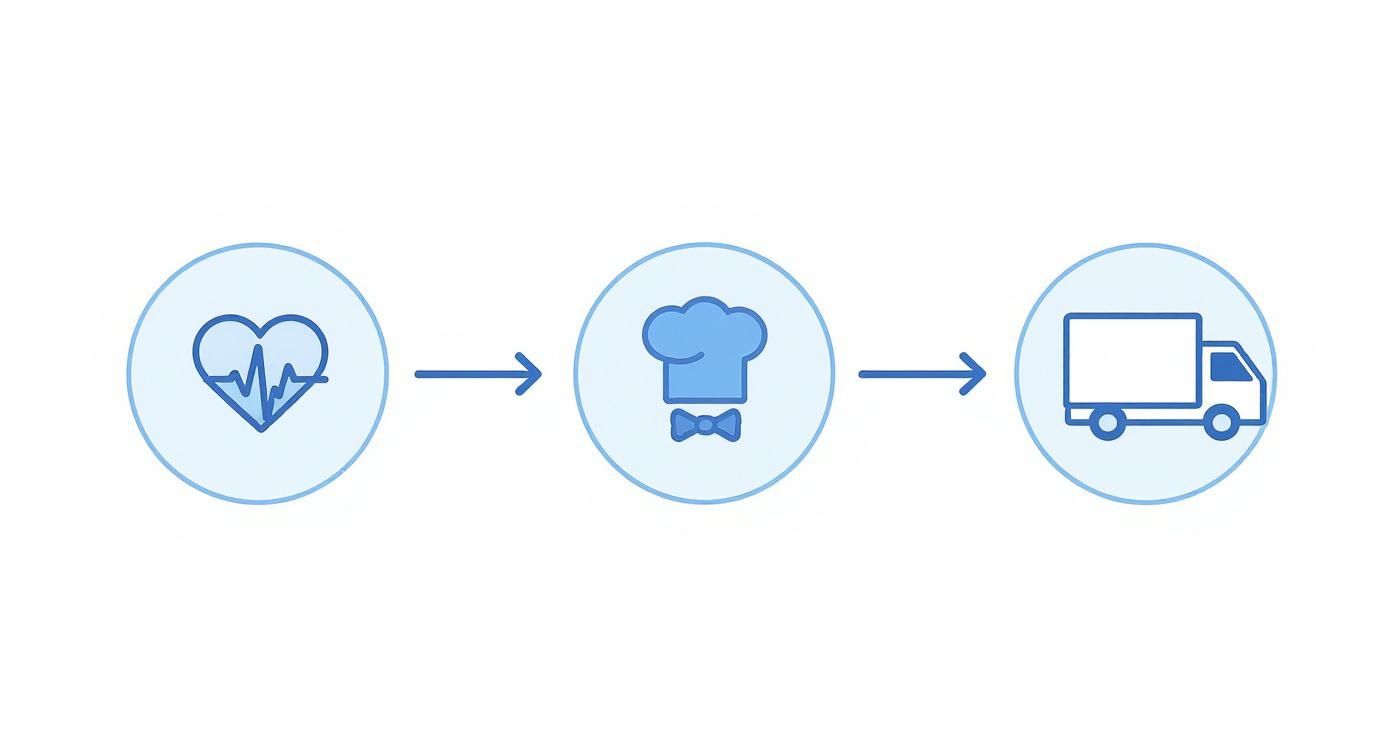
You can see straight away: A smooth chain from staff availability to the final service is absolutely crucial for success.
Connection and introduction to the team
Another important point is the connection to your existing systems. Be sure to clarify whether the new tool can be connected to your payroll or time recording, for example. This saves you a lot of manual effort and annoying duplication later.
The introduction itself also needs to be well planned. Communicate transparently why you are getting a new one Tool for quick deployment planning and what concrete advantages it brings for everyone – less telephone stress, fairer shift distribution, faster payroll. Plan training courses and appoint a contact person for questions.
By taking your team with you from the start, you reduce resistance and ensure a high level of acceptance. This means that the new tool is not perceived as an imposed control, but rather quickly becomes an indispensable helper in everyday work.
Frequently asked questions about deployment planning
You now have a good overview of what a resource planning tool needs to be able to do. Nevertheless, in practice the same questions arise again and again before a decision is made. Here are the answers – short, honest and to the point.
How secure is my employees’ data?
This is probably the most important question of all, and rightly so. A reputable tool must put data protection first and fully comply with the strict Swiss data protection legislation (DSG) and the European GDPR. You should pay attention to this:
- Server location: The data should ideally be located in Switzerland or at least in the EU. Ask specifically.
- Encryption: Every data transfer must be completely encrypted according to current standards. This is no longer negotiable today.
- Access rights: You have to be able to control in detail who can see and edit which information. Not everyone needs access to everything.
A good system is not just a digital safe for sensitive personnel data. It also helps you to stay in control and be able to provide information at any time. Always have the provider show you their data protection concept.
Which staff scheduling tool suits a flexible team?
Choose a tool that supports the complete workflow: define demand, filter available and qualified people, invite selected staff through an app, track responses centrally and hand over reviewed actual hours. Validate it with a real assignment rather than a presentation alone.
What does a staff scheduling tool cost?
Compare total cost, including setup, support, interfaces and minimum terms. job.rocks has a public price of CHF 2 per assignment with no fixed fee; prepaid volume packages are available on request. See the pricing page for details.
How quickly is the software really ready for use?
Implementation can be a limited pilot or a larger integration project. Clarify data, ownership, interfaces and acceptance criteria first. A typical pilot includes:
- Create account: It's a matter of minutes.
- Invite employees: You simply send your team a link or email and everyone can register themselves.
- Do basic setup: You store the most important qualifications, locations or create initial shift templates.
Timing depends on data quality, permissions, integrations and training. Start with one team, one assignment type and explicit acceptance criteria, then extend the rollout only after that pilot works.
Want to test the workflow with your own assignment? Explore staff planning, the employee app and book a demo.