
Personnel capacity planning: Optimized deployment planning – personnel capacity planning
Personnel capacity planning is like a cockpit in an airplane. Every controller has to be in the right place at the right moment, otherwise the operation quickly goes into a tailspin. This discipline ensures that your team exactly then
Personnel capacity planning is like a cockpit in an airplane. Every controller has to be in the right place at the right moment, otherwise the operation quickly goes into a tailspin.
This discipline ensures that your team is ready for action exactly when it is needed - regardless of whether it is during peak season or in the event of sudden failures.
Understand workforce capacity planning
Personnel capacity planning balances your team’s supply and demand based on projects, seasonal fluctuations and absences due to illness. This way you can cover tips before they become a problem.
Why workforce capacity planning is important
- Identify bottlenecks early and avoid overload
- Create space for vacation, illness and further training
- Keep personnel costs under control and prevent service interruptions

Impact of demographic change
As the population ages, the pressure on your capacity planning increases. Older employees often need adjusted working hours or training. At the same time, the demand for health and social services is increasing.
If you look at age groups systematically, you can see directly where new capacities are needed.
Read the full analysis of demographic trends in Switzerland
Development of population figures
Below you will find a compact overview of the development of the 70-plus age group in comparison to the overall population.
| year | 70 plus people | Total population | Growth 70 plus | Total growth |
|---|---|---|---|---|
| 2010 | 932 000 | 7,760,000 | – | – |
| 2023 | 1,287,000 | 7,850,000 | 38% | 1.2% |
| 2040 | 1,950,000 | 8,713,000 | 52% | 11% |
You can use these numbers to plan additional employees.
Strategic use of reserves
A cockpit runs best when all data is linked. You connect:
- Age statistics
- Qualifications matrix
- Reserve requirements
This means you remain flexible even to short-term changes and can react quickly.
A regular target/actual comparison shows you immediately whether you need to make adjustments.
Quick action in the event of capacity gaps
If you need a replacement quickly, follow these steps:
- Book external freelancers via job.rocks.
- Enable automatic matching
- Offer shift swaps within the team
External support directly relieves your team.
The job.rocks mobile app provides you with current availability in just a few clicks. Reminders and filters based on qualifications ensure smooth bookings. Thanks to real-time data, you can immediately see who is stepping in - your cockpit remains perfectly set.
You can see your benefits when you compare unfilled shifts and costs. Fewer absences means fewer rush recruitments and lower expenses. A structured deployment plan saves you time and money.
Constant tracking is key. With simple key figures and fixed processes, your team remains optimally staffed. Get started right away with this base!
Basic concepts and objectives
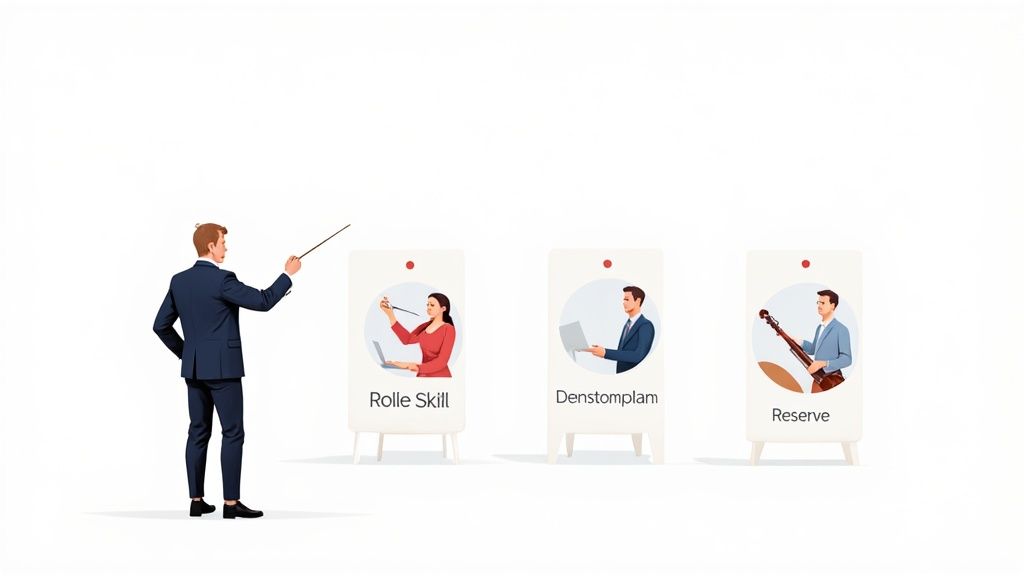
Imagine your company as an orchestra – each role is an instrument that contributes to the whole.
If a musician is missing or starts late, even the most familiar melody gets out of sync. The staffing requirements and buffers are just as important in the team.
Orchestra as a metaphor
The orchestra analogy shows two points:
First, staffing requirements provide the baseline – how many team members do you need for each task?
Secondly, the buffers are your protection against absences and vacations.
- Quantitative aspects – head counts and utilization
- Qualitative aspects – experience and technical knowledge
Set criteria
Clear rules are the basis for stable rosters and fair shift distribution.
A set budget for overtime protects against unpleasant surprises.
- Stable rosters with fixed times
- Budget limits for overtime and standby
- Qualification matrix for the right assignment
- Minimum buffer for bottlenecks
This way you can keep track of fluctuations.
Building blocks of planning
Personnel capacity planning is based on five elements:
- Needs analysis – determine your operational needs
- Capacity reserve – buffer for absences and holidays
- Skill matrix – compare qualifications and experience
- Shift planning – seasonal and project-related fluctuations
- Monitoring and reporting – detect deviations
Each building block reinforces the orchestra model and ensures that your team plays in sync.
Every role has to start at the right moment
Practical example
In a hotel with 50 rooms, plan on one power for every ten rooms. In high season you expect a 15% reserve to cover spontaneous requests:
- 50 rooms → 5 main forces
- 15% buffer → 1 additional person
- Shift swap via job.rocks in just a few clicks
With clear planning, you stay relaxed when demand increases
Deepen metaphor
Think about a festival summer: lighting, sound and security have to work together perfectly. A missed task can jeopardize the entire event.
Often it is not just the number of employees that counts, but also the appropriate technical knowledge. A missing sound engineer cannot be compensated for by more lighting.
Goals of your planning
Goal 1 is full cost transparency. At the same time, you work towards good utilization and high levels of satisfaction in the team.
- Service levels ensure smooth processes
- Keep an eye on budget limits
- Strengthen resilience in the event of failures
These goals are your compass and prevent bottlenecks.
Include qualifications
Each role requires special skills. A skill matrix makes this visible:
- Technical expertise
- Teamwork and communication skills
- Certificates and licenses
Regular updates of the matrix prevent gaps. With job.rocks you can store filters for qualifications in the deployment plan.
Correctly size the reserve
Your buffers are your safety net. Plan reserves early and avoid stress:
- 10-15% reserve for holidays
- 5% additional for illness
- 5% flexibility for new projects
Reserves that are calculated too tightly lead to frustration. Looking at historical data will help you find the right buffer.
Costs at a glance
You can only keep your budget under control with clear cost controls. Distinguish between wages, overtime and third-party costs:
- Hourly wages at a glance
- Document overtime pay
- Record freelancer costs separately
A monthly cost check quickly reveals discrepancies.
Making budget deviations visible saves time and money
Final Thoughts
Well-thought-out personnel capacity planning leads to happier employees and lower expenses. It turns your company into a harmonious orchestra.
Introduce feedback sessions and adapt your concept. This means your orchestra always plays in the right time.
Start now with the orchestral principle.
Important key figures and reporting
Key figures tell you whether your employees are being deployed correctly. Without measurements, you can quickly overlook bottlenecks or idle times.
Three values give you quick clarity:
- Utilization: hours worked in relation to available hours
- Forecast accuracy: deviation between planning and reality
- Fluctuation rate: Proportion of departures in the workforce
First, you collect data on working hours, absences and vacation. Platforms like job.rocks transfer the numbers straight into your dashboard. Our Guide to Time Recording and Time Tracking shows you exactly how to do this.
Data collection and dashboard
A well-designed dashboard brings together all key figures. This way you can discover trends and deviations in no time.
Place utilization and fluctuation rate next to each other and add forecast accuracy for quarter and year.
| Key figure | Definition | Recommended threshold |
|---|---|---|
| utilization | Hours worked divided by available hours | 85% to 95% |
| Forecast accuracy | Planned vs. Actual Operations | up to 10% |
| Turnover rate | Resignations per year in relation to the total number | up to 15% |
With this overview you can immediately see whether your planning is correct or whether action is required.
Example reserve calculation
Imagine your administrative area has 20 positions. Think about a battery charge: you always need reserves to cover failures.
- Actual headcount: 20
- Reserve of 10%: 20 × 1.1 = 22
- Adjust deployment plan
This way you cover vacation, illness and spontaneous absences.
Establish strategic reporting
Targeted reporting combines HR data with risk assessment. For example, you use forecasts based on Wüest Partner’s population model up to 2050. Find out more on HRToday.
Structured reporting shows you risks early on
Reporting cycle and frequency
Three intervals help you stay current:
- Weekly: time balance and short-term bottlenecks
- Monthly: Plan-actual comparison for forecast accuracy
- Quarterly: Trends in fluctuation and utilization
This way you react promptly to changes.
Stakeholder engagement
Automatic reports ensure that management and project management are informed:
- Distribution and access rights with one click in job.rocks
- Regular coordination speeds up decisions
Regular reports strengthen trust in the team
Visual representation and interpretation
Traffic light diagrams or color-coded heatmaps give you immediate clarity:
- Red: utilization below 85%
- Green: utilization between 85% and 95%
- Yellow: Forecast deviation over 10%
An annual heatmap shows you peak absences - ideal for your reserve planning.
Summary and outlook
Regular reporting keeps your planning on track. With 85% to 95% utilization, a maximum of 10% forecast deviation and less than 15% fluctuation, you secure operations.
Start your reporting with job.rocks and use templates for the Swiss market. This is how you create data-based personnel deployment planning - and managers keep track of things.
Let’s go! Your transparency offensive will pay off immediately.
Step by step implementation
Before you dive in, get a clear overview of your current state. This lays the foundation and minimizes surprises.
Analyze current status
Collect all data on age, qualifications and absences in inpatient and outpatient areas.
Excel tables or job.rocks help you get an overview.
- Break down age structure per department
- Create a skill matrix with specialist knowledge and certificates
- Record absence profiles for vacation, illness and further training
You then define demand profiles with reserves – for example in an oncology ward:
- Fill roles based on qualifications
- Define reserve based on historical failures
- Integrate buffers into the operational plan
Set up forecast cycles
Get your planning into a fixed rhythm. Schedule forecast meetings with team leaders.
Regular forecast meetings prevent bottlenecks
In the outpatient clinic, a weekly update is recommended to balance occupancy and staffing requirements. This way you avoid overstaffing or understaffing.
Build reports
Automate your reports so you have access to current figures at any time.
- Real-time dashboards for utilization and forecast
- Automatic updates for absences and vacation planning
- Alerts when the minimum capacity is exceeded
The following infographic shows you the most important key figures.
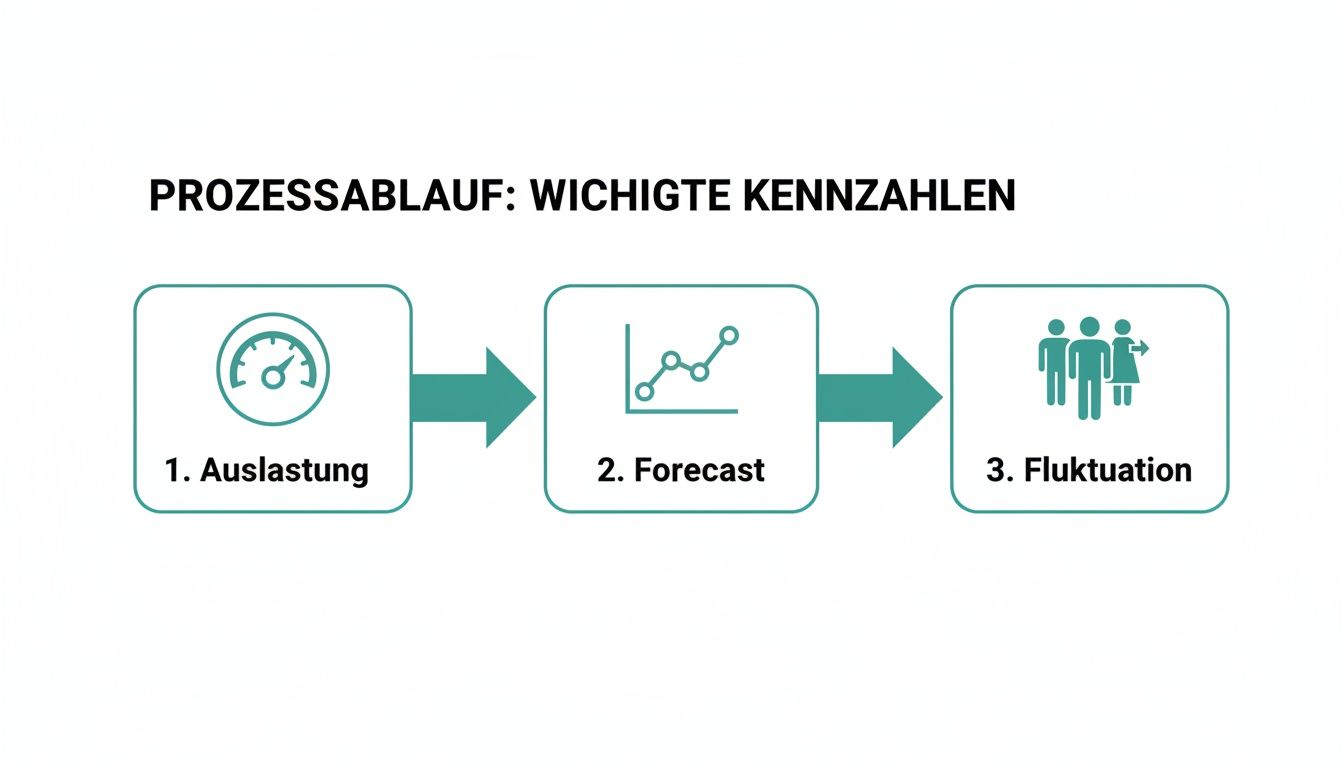
From the graphic you can see that a utilization rate between 85% and 95% is ideal and forecast deviations should remain below 10%.
Reviews and workshops
Schedule regular reviews and workshops to keep your processes up to date.
With workshops your plan stays agile
Example: In a clinic, you synchronize bed plans and outpatient shifts in order to directly cushion peaks or waves of illness. More about this in the Guide to operational planning.
Comparison of inpatient and outpatient care
| Area | Main focus |
|---|---|
| Stationary | Bed occupancy |
| Ambulance | Day treatments |
In this way, your staffing needs in both areas compensate for the differences. In job.rocks you filter qualifications and find suitable employees:
- Joint planning with the nursing management
- Mobile queries for short-term assignments
- Manage skills and availability centrally
Further practical tips
To ensure that everyone follows along, you need clear access rules and reporting requirements.
- Distribute roles with read or write permissions
- Establish binding update rhythms
- Actively collect feedback
This leaves your process open to improvement.
Next steps
Start with a pilot round in a small department. Learn from the first reviews and adapt the rhythms.
- Start in a smaller hospital ward
- Measure success based on utilization and forecast accuracy
- Scale the method gradually
With each round your plan becomes more precise and resilient.
Regular adjustments ensure stable capacities
Integration with tools
Connect job.rocks to your HR systems via API so that all data flows automatically.
- API connection for real-time updates
- Uniform data structure for HR
- GDPR-compliant data security
This keeps your reporting up to date and saves you manual effort.
Establish control mechanisms
Set up sampling and deviation reporting to ensure data quality.
- Weekly samples in the frontend
- Send deviation reports to team leads
- Implement corrections immediately
This means your personnel capacity planning remains resilient in the long term. It’s best to start today and create clear processes that relieve your team and strengthen supply.
Data protection and compliance in personnel capacity planning
Personnel capacity planning records employee data responsibly. Only necessary information – age, qualifications and absences – ends up in the system. Health data is excluded until consent has been given.
- Allowed data: name, qualifications, availability
- Sensitive data: Health status only with consent
- Pseudonymization: reduces identifiability
Document consents
Before you collect data, you will obtain clear consent. Briefly explain the purpose, duration and revocation. Hold on:
- Name and personnel number
- Intended use
- Date of consent
Store emails or digital signatures in an encrypted directory. Rely on regular security audits.
Sample dialog
Employees: “Can I record my absences in the system?”
HR manager: “The data helps us with operational planning. Do you agree?”
Security measures
Data protection starts with technology. Ensure encryption at rest and in transit. Add:
- Penetration testing and system updates
- Multi-factor authentication
- Access control to server rooms
- Logging and alerting in the event of irregularities
| Test documents | Retention period |
|---|---|
| Declarations of consent | 5 years |
| Log files with access protocols | 2 years |
| Evidence of training | 3 years |
Set up role access
A role model prevents data chaos. Assign hits based on need-to-know:
- Admin
- Full access and export rights
- Team leadership
- Insight into absences, qualifications and plans
- Employees
- Maintaining your own availability
This way everyone only sees what is really necessary.
More about this in Guide to data protection at job.rocks
Implement data minimization
Less data means fewer risks. Carry out regular data flow checks and only query what is necessary. Implement:
- Monthly review of saved records
- Automatic deletion after deadlines
- Archiving old data sets without personal reference
Example: In a hotel business, you remove the data of seasonal temporary workers after 12 months without valid consent.
Less data protects against leaks
Process information requests
Employees are allowed to obtain information. Set up a short form:
- Name and personnel number
- Desired data categories
- Proof of identity
You provide the information within 30 days. One template covers 91% of requests. Set automatic reminders and log all steps.
Make documentation audit-proof
A central directory protects you during audits:
- Version control for policies
- Checklist for consent and evidence
- Automatic backups and audit logs
This way you can see at a glance who approved what.
Well-documented processes reduce the testing effort
Tips for legal compliance
Rely on privacy by design and involve the data protection office early on. Train your team annually and conduct internal audits. Then you stay alert and protected.
Industry-specific personnel capacity planning
Every industry has its own requirements. Here are examples for events, hotels, care and security services. So you can get started immediately with job.rocks.
Event management and hotel industry
In event management, your staffing needs can increase or decrease by 150% in a matter of hours. You calculate something like:
- 50 employees for assembly and dismantling
- 20% reserve
job.rocks distributes invitations via app, combines availability and filters and allows spontaneous shift swaps. In this way you prevent incorrect appointments and reduce costs.
The reporting shows you immediately:
- hours worked
- remaining quotas
In the hotel industry you base your planning on booking numbers. For 80 rooms, you calculate four employees per five rooms and add 15% extra. Morning forecasts help you make quick adjustments.
A monthly report provides:
- Average utilization
- Plan deviations
- Budget status
With these facts you can avoid understaffing. In job.rocks you filter by qualification - be it bar or housekeeping - and put together your team with a click.
Healthcare and security services
In the hospital you link shift schedules with bed occupancy. For 100 beds, you plan 25 nurses per shift and keep 10% reserve. The platform synchronizes occupancy plans and profiles so you can compensate for outages immediately. At the same time, you set hourly quotas for home visits.
At a major event, you focus on visitor numbers. A concert with 20,000 guests generates around 300 shifts. You divide your teams into entry, patrols and emergency preparedness. You reserve 15% for this. Push notifications keep everyone up to date.
The dashboard summarizes:
- occupancy
- Reserve ratio
- Forecast accuracy
This way you can identify bottlenecks early and react in a targeted manner. Start today in job.rocks and control your personnel deployment based on data.
Frequently asked questions about personnel capacity planning
Here we clarify four important questions. You get direct tips and a clear roadmap. This gives you more planning security and prevents bottlenecks.
Benefits for your company
Identifying bottlenecks early and keeping costs under control – that’s the art. With a buffer plan you create space for illness and vacation. This means your business will run smoothly even in peak periods.
- For temporary peaks, plan a 10-15% buffer
- You check the needs based on real absences
- You estimate cost blocks per role and hour
A buffer plan prevents service interruptions and hectic rush recruitment
Important metrics
A solid foundation consists of three values. With utilization, forecast accuracy and reserve ratio, you can keep an eye on where action is necessary. These numbers are your compass for a reliable plan.
| Key figure | Purpose |
|---|---|
| utilization | Hours worked vs. planned hours |
| Forecast accuracy | Planned vs. Actual Operations |
| Reserve ratio | Buffer for illness and vacation |
This way you can discover deviations in a monthly comparison and continually refine your planning.
Add missing data
You can compensate for missing absences or skills with short meetings:
- Compare offline lists with team leaders
- Request basic data for each person
- Check records regularly
This will prevent gaps from blocking your planning. Workshops further sharpen the data quality.
Concrete tools
Without the right tools, every process remains laborious. Together with job.rocks and simple tables you can keep the effort low:
- job.rocks for availability and deployment planning
- Excel spreadsheets with formulas
- HR software with API connection
This combination automates data flow and prevents breaks. This means that all parts work together seamlessly.
With job.rocks you can control your personnel deployment efficiently and GDPR-compliant: job.rocks