
Workforce Management in German: Your Practical Guide 2026
Your comprehensive guide to Workforce Management in German 2026. Learn everything about scheduling, time tracking & GDPR to optimally manage your team.
If you still manage your scheduling with Excel, WhatsApp, phone calls, and gut feeling, you know the routine. Someone cancels in the morning. Ten minutes later, a client asks for two extra people. Three employees write simultaneously in the chat that they can only come later. And somewhere there’s an old Excel version where a shift is incorrectly marked.
This is exactly the point where many search for Workforce Management in German, but often mean something very specific. Less chaos. Less back and forth. Clean schedules your team can rely on. In event agencies, hospitality, security services, or healthcare, this is not theory but everyday business.
In Switzerland, there is an additional factor. You often plan with a broad, mixed employee pool. In 2023, more than 5.1 million people were active in the Swiss labor market, with high international diversity. This shows how large the available pool is but also makes clear processes necessary if you want to schedule quickly and cleanly (Swiss labor market at EURES).
Table of Contents
- End the Scheduling Chaos
- Core Functions of Workforce Management
- Complying Securely with GDPR and Swiss Labor Laws
- What Workforce Management Looks Like in Practice
- Your Path to Better Workforce Management: A Checklist
- Measuring the Success of Your Workforce Planning
- How job.rocks Solves Your Problems Specifically
End the Scheduling Chaos
A typical shift staffing in an event agency often goes like this. The client confirms late. You open three Excel sheets. One person is still listed from the last assignment, although they are not available that weekend. Then you call substitutes while questions about meeting point, clothing, and shift duration are already coming in the chat.
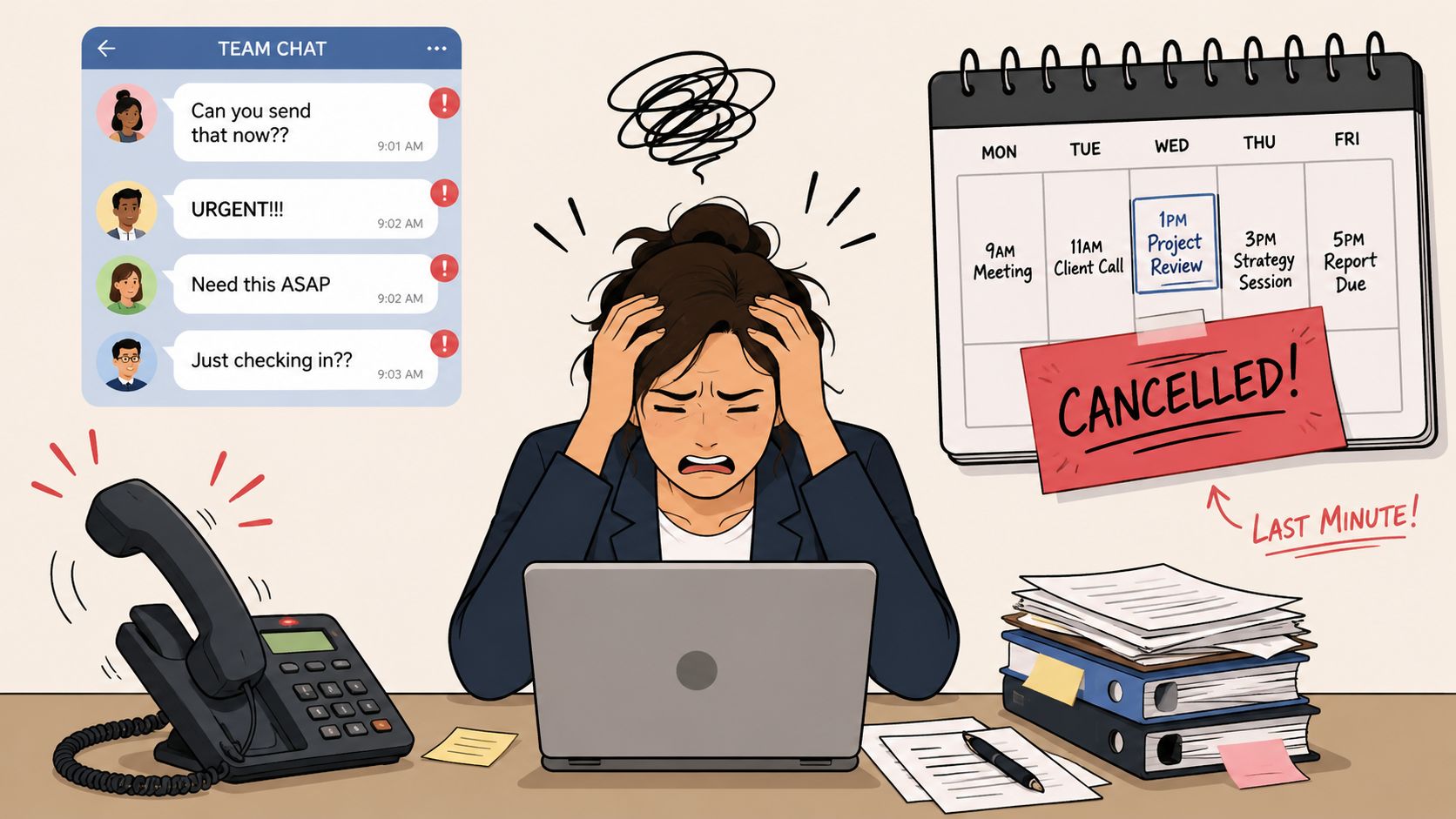
The problem is rarely the assignment itself. The problem is the path to it. When availability, qualifications, location, shift times, and feedback are spread across five channels, you lose not only time but also overview.
How to Recognize the Chaos
- Duplicate data entry. Shifts are in Excel, changes in chat, and hours later on paper.
- Unclear responsibility. No one knows for sure which list is currently valid.
- Too many queries. Employees ask for address, start time, or contact person even though the info was already sent once.
- Substitute search under pressure. Last-minute cancellations lead to hectic phone chains.
Those who plan flexibly don’t need a loose process. They need a strictly managed workflow that can handle spontaneous changes.
Workforce Management in this daily routine is not an abstract management idea but a clean operating system for your scheduling. You manage availabilities in one place, assign qualifications clearly, send assignments transparently, and receive feedback directly where you plan.
What Changes in Daily Work
Before, you work reactively. Someone reports, you search, you call, you adjust lists. Afterwards, you plan from a maintained pool. You see who is available, who has the right qualification, and whom you can send an assignment directly.
Especially if you often work with temporary staff, it’s worth looking at specialized personnel scheduling software. The difference is not a prettier schedule. The difference is that you catch absences, extra shifts, and last-minute adjustments without stress.
Core Functions of Workforce Management
Many search for Workforce Management in German and end up with general explanations. In operations, you need something more tangible. Three things must be right. You need to know how much staff you need, who you assign, and what was actually worked in the end.
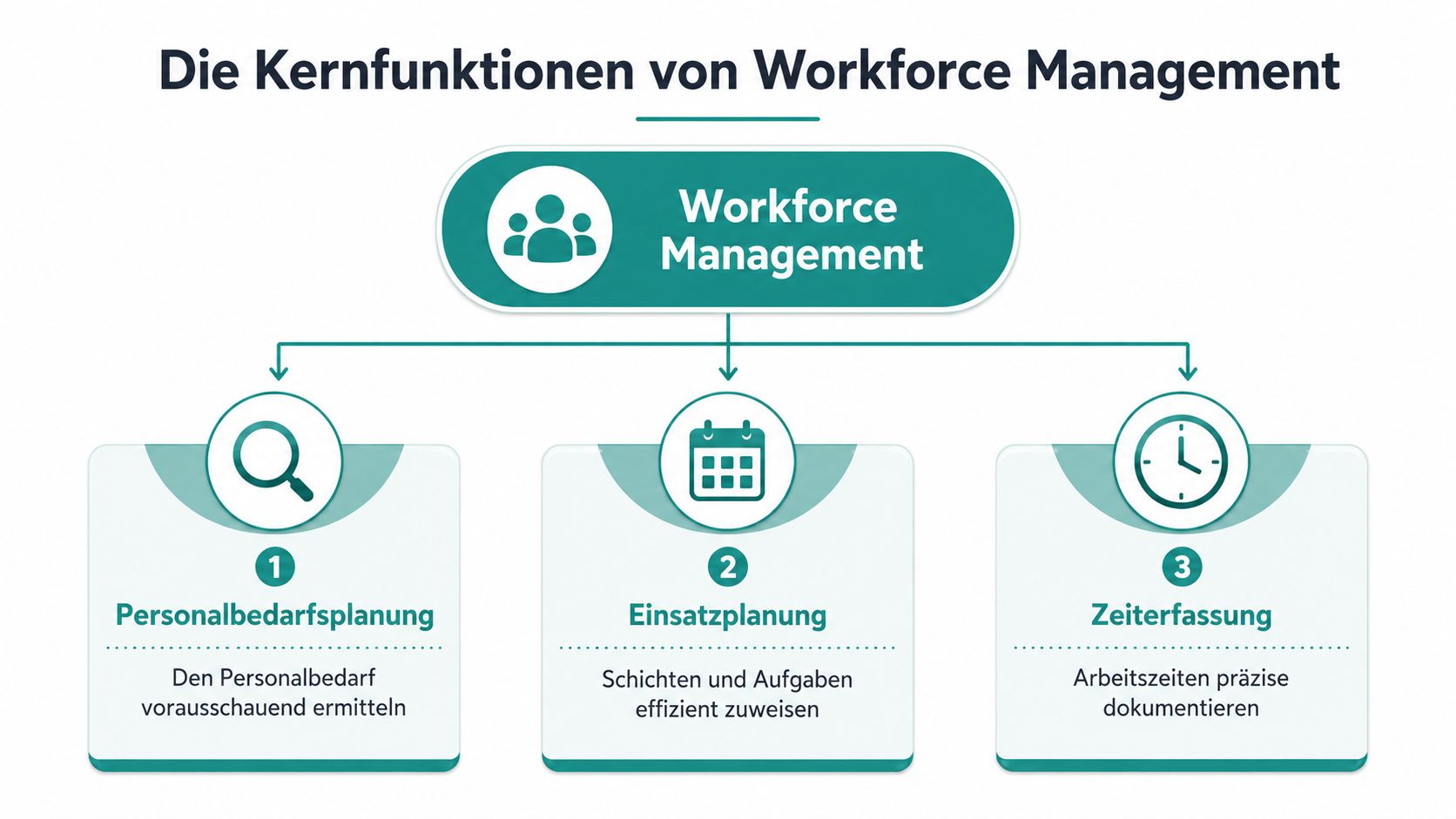
Staffing Planning Instead of Gut Feeling
Take a hotel with banquet business. Last year, a Saturday in December was understaffed, so this year more people are scheduled out of caution. That feels safe but often leads to idle time. The opposite happens too. A quiet day from the previous year is underestimated, then service staff is missing.
Systems with supported staffing forecasting can noticeably relieve here. Administrative planning time can decrease by up to 35%, while personnel costs drop by 12–15% due to less misplanning (SAP on Workforce Management).
The practical benefit is important. You don’t just plan more or fewer people. You plan by order type, weekday, season, qualification, and actual availability.
A simple comparison:
| Situation | Without Clean Staffing Planning | With Clean Staffing Planning |
|---|---|---|
| Trade fair setup | Too many helpers in the morning, too few in the evening | Staff staggered by time slot and task |
| Restaurant with terrace | Reserve too tight during weather change | Additional shift quickly prepared |
| Security service | Wrong mix of experienced and new staff | Staffing by qualification and assignment type |
Scheduling Without Chat Confusion
Many teams fail here in daily work. The shift is internally clear, but communication to employees remains confusing. First a message in chat, then an Excel file by email, later a PDF with changes.
It works better when the assignment is created directly where feedback and availability come together. For employees, it is especially important that they can see what is open, what is confirmed, and which details apply. That’s exactly what mobile Employee Self Service functions are for.
Later in the process, a joint view of workflows helps. This video shows the logic behind modern scheduling well:
Practical rule: If a shift change is not visible at a glance, it will be overlooked in daily work.
Time Tracking Without Paper and Queries
The third pillar seems unspectacular but regularly saves you trouble. In many companies, good planning ends at time tracking. Employees send photos of timesheets. Team leaders enter breaks afterwards. Payroll puzzles over missing information.
Clean time tracking means not only noting start and end. You also need changes, breaks, surcharges, and approvals traceably. Otherwise, the chaos just shifts from the schedule to payroll.
Typical before-and-after differences:
-
Before at events: End of shift rounded by feel.
-
After at events: Times recorded and confirmed directly.
-
Before in hospitality: Shift swaps arranged verbally, not updated in the schedule.
-
After in hospitality: Shift swaps visible and properly documented.
-
Before in security: Night surcharges manually searched at month-end.
-
After in security: Payroll-relevant times are well organized.
Complying Securely with GDPR and Swiss Labor Laws
Many avoid a clean system out of convenience. They worry about doing something wrong. Can employees be scheduled via app? What data can you store? How long do documents stay in the system? And what happens with rest periods, breaks, or last-minute shift changes?
At this point, the manual way is often riskier than an orderly one.
Why Manual Processes Are Risky
If you distribute personnel data in private chat groups, Excel files on local devices, and freely forwarded emails, you quickly lose control. You often no longer know who has seen which data, which version is current, and whether old data is still lying around somewhere.
An industry analysis shows that 68% of Swiss service providers in healthcare and events manage their freelancer pools with manual processes, often out of fear of GDPR violations or labor law uncertainty (Industry analysis on manual freelancer processes).
This is understandable but does not solve the problem. Manual processes rarely give you more legal certainty. Usually, they only give you less traceability.
What Must Be Properly Regulated in Daily Work
An orderly approach clearly separates useful data from unnecessary data. You only store what you need for selection, assignment, communication, and payroll. You regulate who may access it. And you document changes instead of silently overwriting them in a list.
If you work with flexible personnel pools in Switzerland, you should look at these points:
- Check access rights. Not every team leader needs full access to all personnel data.
- Maintain qualifications structurally. Certificates, language skills, or permits belong in a fixed place.
- Consider rest periods. Especially for evening and early shifts, the schedule must fit not only personnel-wise but also legally.
- Regulate deletion periods and retention. Old applicant or assignment data should not remain indefinitely.
If you check data protection only at the end, you usually have to rebuild the process.
For many teams, it makes sense to practically check the requirements for Swiss data protection in personnel deployment first. Not in legal jargon but from the perspective of daily operations. Who sees what, when, why, and how long.
What Doesn’t Work
It becomes difficult whenever you answer legal questions with improvisation. Some typical mistakes:
| Daily Situation | Often Done | Why It’s Risky |
|---|---|---|
| Last-minute substitute search | Mass mailing with too many personal data | More people see more data than necessary |
| Shift change | Swap confirmed in chat but not documented | Later unclear who actually worked |
| Qualification check | Certificates stored in individual folders or mailboxes | Scheduling accesses outdated documents |
What Workforce Management Looks Like in Practice
In operations, theory doesn’t count but whether you can fill an open shift cleanly in a short time. Four short examples show where an orderly process pays off.
Event Agency with Same-Day Additional Shift
In the afternoon, the organizer reports that an additional tent will open. You need service staff and one person for on-site coordination. Previously, someone would have called half the team. After three confirmations, you realize two of them don’t have the right experience.
With an orderly personnel pool, you first filter by availability, then by suitable experience. The invitation goes only to people who fit timewise and professionally. Feedback comes together in one place. Assignment info is directly with the job instead of scattered across messages.
This not only saves nerves but also prevents you from just booking the first available person in the rush.
Hotel with Sudden Booking Surge
A group event suddenly grows larger than planned. The hotel needs more breakfast service and additional staff for the evening. The challenge is rarely just the number of people. You have to ensure your core staff doesn’t constantly cover gaps and that morale doesn’t drop.
A good approach mixes core team and flexible staff consciously. Core staff cover shifts with high coordination needs. Additional staff take clearly defined tasks like banquet service, mise en place, or later clearing windows. This keeps operations calm even though workload shifts quickly.
Nursing Service with Short-Notice Absence
In healthcare, the situation is more delicate. An absence affects not only the schedule but directly the care. If a specialist is absent in the morning, it’s not enough to just find someone free. The substitute must be qualified, available, and able to take over without losing important information.
That’s why this sector needs a pool that can do more than just manage names. Qualifications, availability, and assignment details must be linked. Otherwise, you search under time pressure in old emails for proofs and call around simultaneously.
Better a smaller, well-maintained list than a huge pool where availability and qualifications don’t match.
Security Service with Strict Qualifications
At a large concert, you don’t just need many people but the right staffing per zone. Entrance, backstage, traffic control, and night teardown require different personnel. If you only plan by availability here, you cause follow-up errors. Wrong positioning, replacements, last-minute rearrangements before doors open.
That’s why security services work best with clear filters. Who may work at which post, who knows the location, who has the right training, who is scheduled for night shifts. The clearer these criteria are in the system, the less you have to improvise on the day.
What All Four Examples Have in Common
Despite different industries, the same stumbling blocks always appear:
- Availability is not the same as suitability. Free doesn’t mean fitting.
- Communication needs a fixed place. Otherwise, changes get lost.
- Substitute search must be prepared. Starting to sort under pressure is too late.
- Shift details decide peace in operations. Address, clothing, start time, contact person, and task must be properly stored.
Your Path to Better Workforce Management: A Checklist
Switching from Excel to an orderly system rarely fails due to technology. It usually fails because companies look for features too early and check their own processes too late. If you approach the transition properly, choosing becomes much easier.
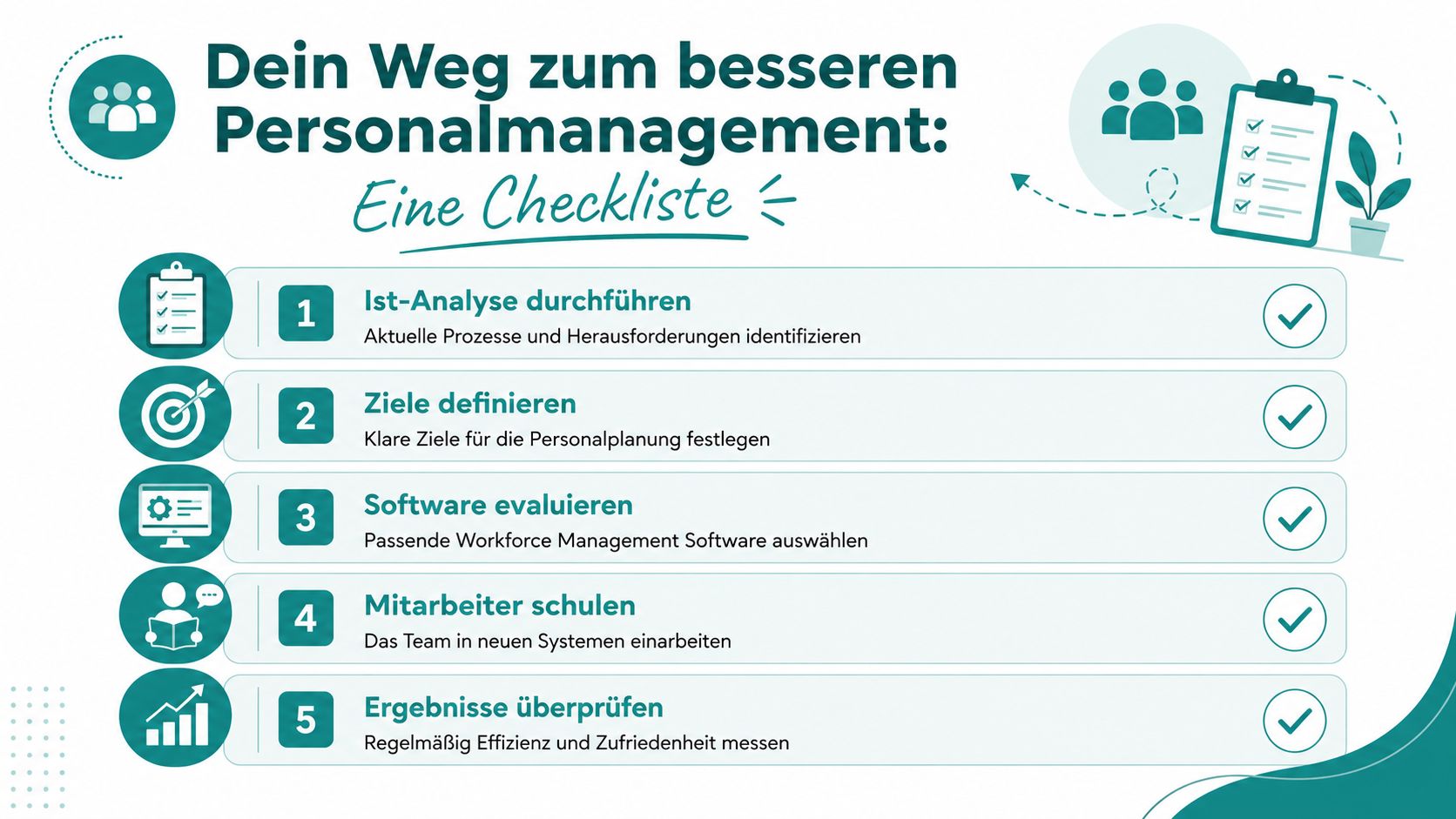
Five Questions Before the Switch
-
Where do you lose the most time today?
Don’t look at software first. Look at your daily work. Do you constantly have to find substitutes, enter hours, or send shift info multiple times? Write down the three most frequent friction points. Otherwise, you might buy a system for a problem you don’t have.
-
Which result do you want to see first?
Some teams want to fill open shifts faster. Others want to ease payroll. Others want fewer employee queries. One goal is enough to start. If everything is important at once, nothing gets introduced properly.
-
Which data must be properly maintained?
Check which information is really needed in daily business. Availability, qualification, location, working hours, surcharges, approvals. Companies in Switzerland using automated platforms reduce their average staffing time from 14 days to 4–6 days and ensure compliance with working time laws (Swiss WFM platforms and staffing time). This only works if the data basis is correct.
-
Who must be involved early in the team?
If only management decides but scheduling, team leaders, and payroll work differently later, resistance arises. Involve those who plan daily, approve shifts, or check hours. They immediately see if a process is really viable.
-
How do you test the new process small enough?
Start with one area, not everything. An event team, a location, a certain shift type. This way, you notice faster where your process still has issues.
Good implementation doesn’t mean changing everything at once. Good implementation means first solving the recurring bottleneck properly.
Measuring the Success of Your Workforce Planning
When you change your planning process, you don’t need a data graveyard. Four key metrics are often enough to recognize whether your process holds or just looks digital.
Four Key Metrics That Really Matter
Fill Rate of Open Shifts
How many posted assignments are filled on time. This metric shows if your pool is active enough and if your assignment offer is attractive. If the rate is weaker for certain jobs, first check time, duration, travel distance, and clarity of info.
No-Show Patterns
Not only who is absent is interesting. Important is at which assignments absences cluster. Night jobs, poorly described tasks, or locations with complicated access often show the same patterns. Then the problem is not only with individual employees but in the assignment design.
Planning Effort per Week
Measure how much time your team needs for searching, assigning, queries, and corrections. Especially in flexible companies, this is an honest figure. If effort decreases, you feel relief immediately in daily work. If it stays the same, the error is usually too many side paths like chat, Excel, and paper.
Corrections Before Payroll Approval
Don’t count every small note but real rework. Missing breaks, unclear end times, wrong surcharges, or undocumented swaps. Many corrections show your process still breaks at the end, even if the schedule looked tidy before.
A simple monthly comparison is often enough. You don’t have to evaluate every detail. You just need to see where your process becomes unstable again.
How job.rocks Solves Your Problems Specifically
Most problems in scheduling are connected. Open shifts remain unfilled because availabilities are unclear. Payroll becomes tedious because times and changes are not recorded cleanly. Qualifications get lost because they are spread across lists, folders, and emails.
From Open Demand to Payroll Preparation
A tool like job.rocks starts exactly there. You combine availability queries, scheduling, mobile shift details, time tracking, and payroll preparation in one workflow. For event agencies, this means: invite the right people specifically instead of broadly. For hospitality and hotels, it means: no more chasing shift info, changes, and hours through side channels. For security and healthcare, it means: see qualifications clearly when assigning.
This becomes especially noticeable at the end of the month. Current data from 2025/2026 shows that 42% of Swiss hotel and gastronomy businesses lose over 15 hours of administrative effort per week due to missing automated payroll integrations (Payroll effort in Swiss hospitality and gastronomy). When hour validation, change logs, and payroll preparation come together, exactly this manual gap disappears.
For you as a scheduler, a simple question counts in the end. Do you have to chase information or does it flow where you need it? When planning, feedback, and working time come together in one place, hectic scheduling becomes a reliable process.
If you want to bring your workforce planning from Excel, chats, and individual agreements into an orderly process, check out job.rocks. There you can see how availability queries, shift planning, time tracking, and payroll preparation for flexible personnel pools in Switzerland can be combined.
Meta Description: Want to get away from Excel chaos and WhatsApp scheduling? Read how to set up Workforce Management cleanly in Switzerland, avoid legal pitfalls, and plan flexible teams better.